
Your Own Kill FX.
Keep Your Sky.
★★★★★ 10/10 · Discord reviews
ToxicaLeakz KillFX Maker lets you make your own FiveM kill FX with a live preview. Start from 24 starter kill effects, pick any colour, add edge glow or body glow, then install in one click — without wiping your graphics pack.
Also included in the Master Tool with 14 more tools.
Everything for your FiveM kill FX
No more guessing values in an XML file and restarting FiveM fifty times. Change it, press Play kill, see it.
Live kill preview
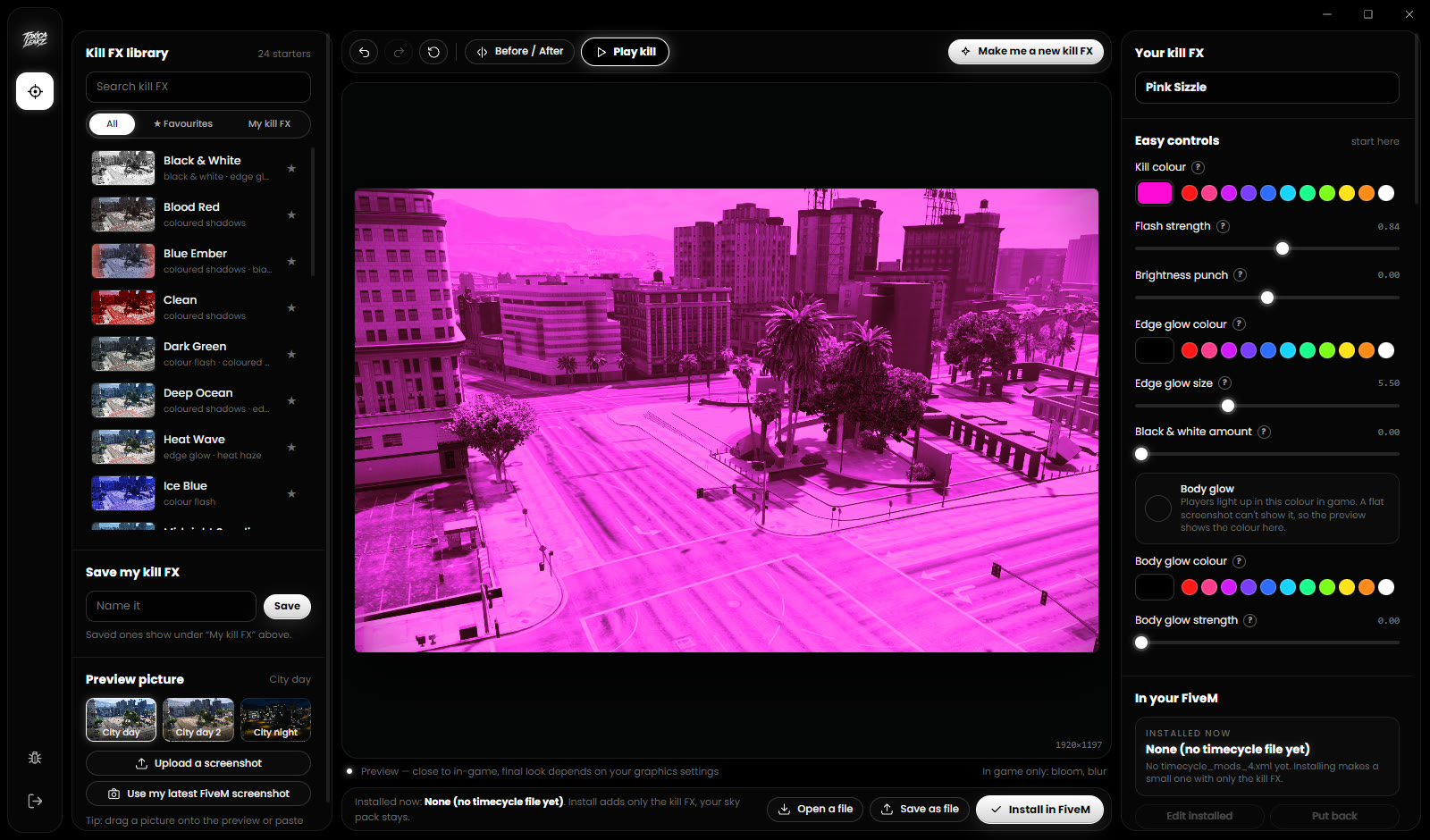
Your kill flash on real FiveM shots, day and night. Press Play kill to watch it flash in, hold and fade like a real kill.
24 starter kill FX
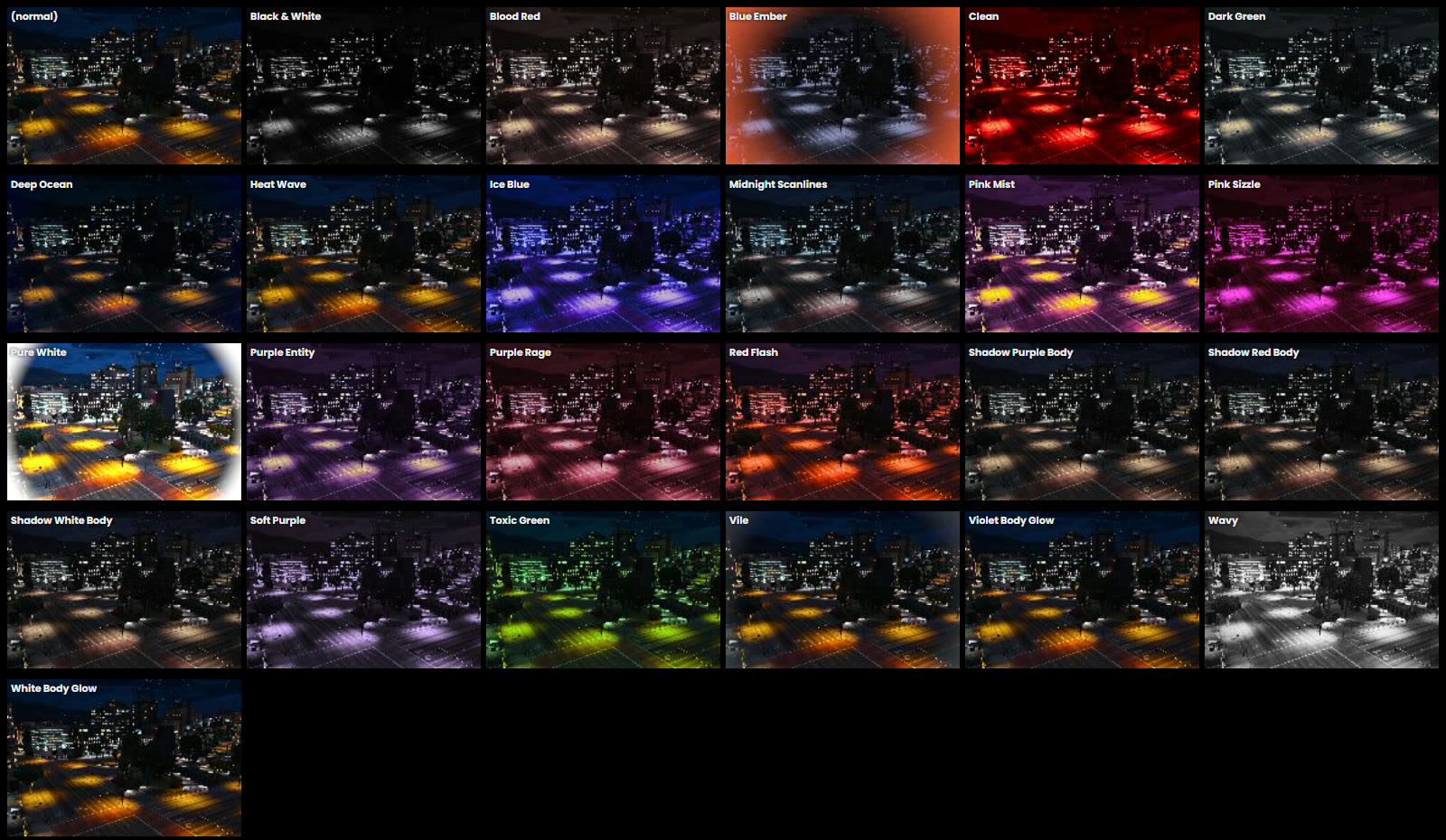
Blood Red, Ice Blue, Pink Sizzle, Purple Entity, Toxic Green, Black & White, body glows and more — with favourites and search.
Any colour, any style
Kill colour, flash strength, brightness punch, edge glow colour and size, black & white, and body glow. Every setting explained.
Make me a new kill FX
One button mixes the starters into a fresh kill FX. Press again for another. Undo and redo are always there.
Keeps your sky
Only the kill effect is added to the file you already have. Your graphics pack stays exactly as it was.
Save, share, put back
Save your own kill FX, export it as a file to share or sell, and Put back your original anytime.
Pick it. Colour it. Kill.
See it before it hits your game
The preview shows the kill flash on a FiveM screenshot — or your own. Change the colour or the flash and it updates straight away.
- Before / After split to compare
- Use your latest FiveM screenshot in one click
- Every Advanced setting explained in plain English
24 kill FX to start from
Colour flashes, coloured shadows, edge glows, black & white and body glows. Every one is previewed on your picture so you find the one you want in seconds.
The install that keeps your sky
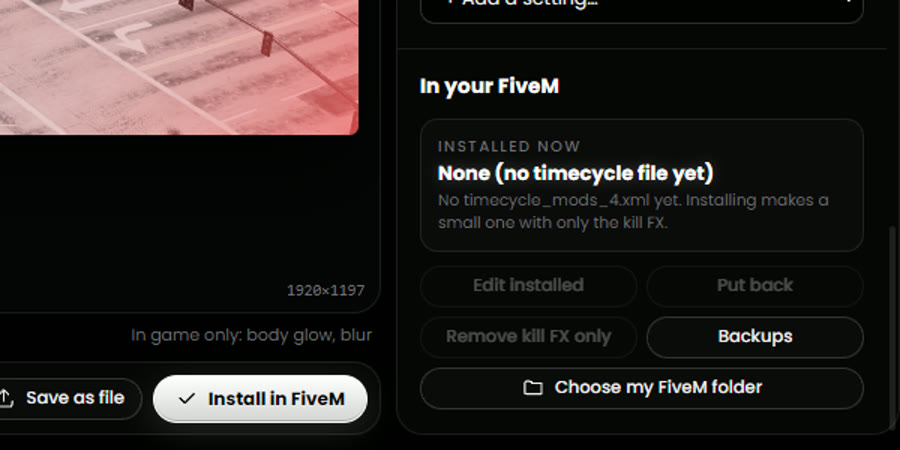
Most kill FX packs replace your whole timecycle_mods_4.xml and wipe your graphics pack. KillFX Maker only adds the kill effect, backs up your file first, and can put it back exactly.
- Install in FiveM in one click
- Remove kill FX only — everything else stays
- Warns you if Post FX is too low to show it
FAQ
What is a FiveM kill FX?
A kill FX is the screen flash you see when you get a kill: a colour hit, a flash, an edge glow or players lighting up. It is a client-side file, so it works on any server where the game registers the kill.
Will it break my sky or graphics pack?
No. Most kill FX packs replace the whole timecycle_mods_4.xml file, which wipes your sky pack. KillFX Maker only adds the kill effect to the file you already have, backs it up first, and Put back restores it exactly.
Why don't I see my kill FX?
Set Post FX to High or above in FiveM's graphics settings and restart FiveM; on Normal the game skips post effects. Some roleplay servers also use death scripts that block every kill effect, so test on a PvP server.
Can I make my own kill FX and share it?
Yes. Pick any colour, flash strength, edge glow and body glow, save it, and use Save as file to share or sell your kill FX.
Is it in the Master Tool?
Yes. KillFX Maker is one of the 15 tools in the Master Tool, or you can buy it on its own for $20.
Every tool. One key.
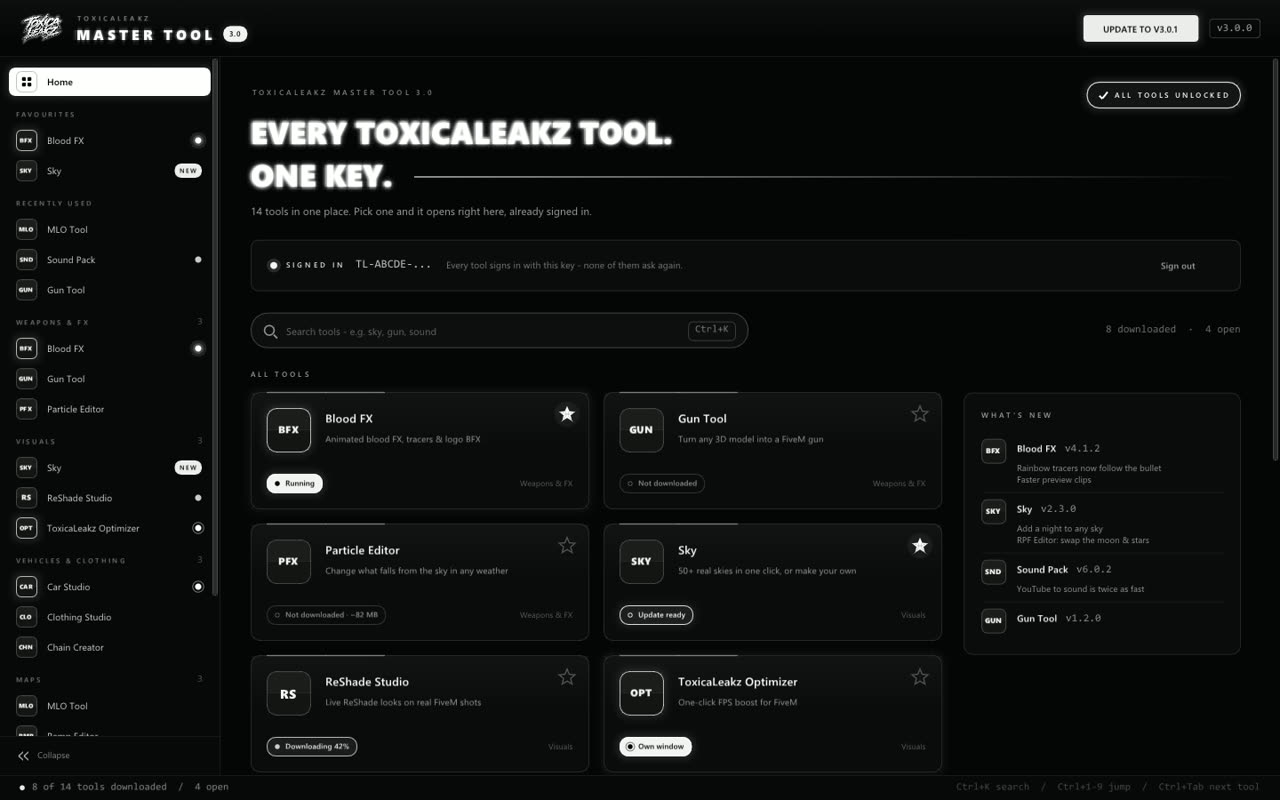
The Master Tool puts all 15 ToxicaLeakz tools in one app. Every tool signs in with the same key and updates itself.
Free guides
Learn how it works with our free step-by-step guides.
