
Your Server.
Your Loading Screen.
★★★★★ 10/10 · Discord reviews
ToxicaLeakz Loading Screen Studio makes a custom FiveM loading screen for your server in minutes. Pick one of 12 templates, add your logo, video and music, your rules, staff and Discord, then install it to your server in one click. No coding.
Everything for your FiveM loading screen
No HTML, no hiring a dev, no guessing. Change it and watch the live preview: it is the exact page your players see.
12 templates
Mono Glow, Cinematic, Neon City, Police RP, Racing, Streets, Retro Arcade, Glass Cards, Split Screen, Slideshow, Tactical and Minimal. Switch any time, your content stays.
Your video, your music
Animated backgrounds, a picture, a .webm video, a slideshow or a YouTube link. A music player with your playlist, play / pause / next and volume.
Real loading bar
The bar follows FiveM's own loading steps (game files, map, world, joining) and never jumps back. Then it fades out when the player spawns.
Cursor trails
Glow dot, ring, crosshair, soft glow or your own picture, with sparkles, stars, a light line, bubbles or smoke following the mouse.
Rules, staff, socials
Rotating tips, your rules, your staff list, Discord and social links, and “Welcome, PlayerName” for every player.
One-click install
Pick your server's resources folder: it copies the resource in, adds the ensure line and warns you about other loading screens. Or export a .zip.
Pick it. Brand it. Install it.
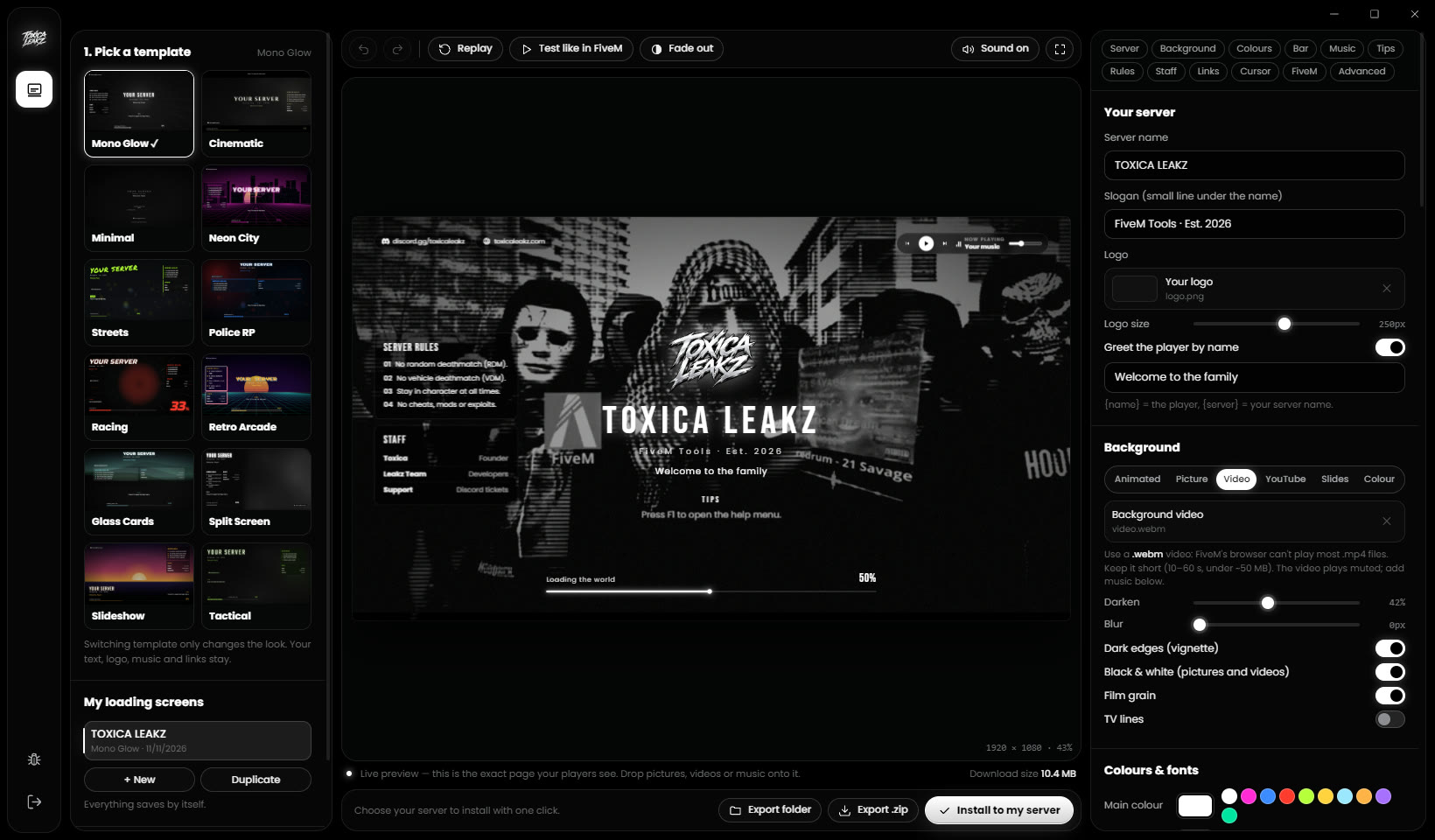
A live preview that matches the game
The preview is the real loading screen page, so what you see is exactly what joins your server. Press Test like in FiveM to watch the bar move like it does in game.
- Drag pictures, videos and songs onto the preview
- Black & white switch, darken, blur, grain and TV lines
- 16 fonts or your own, any colours
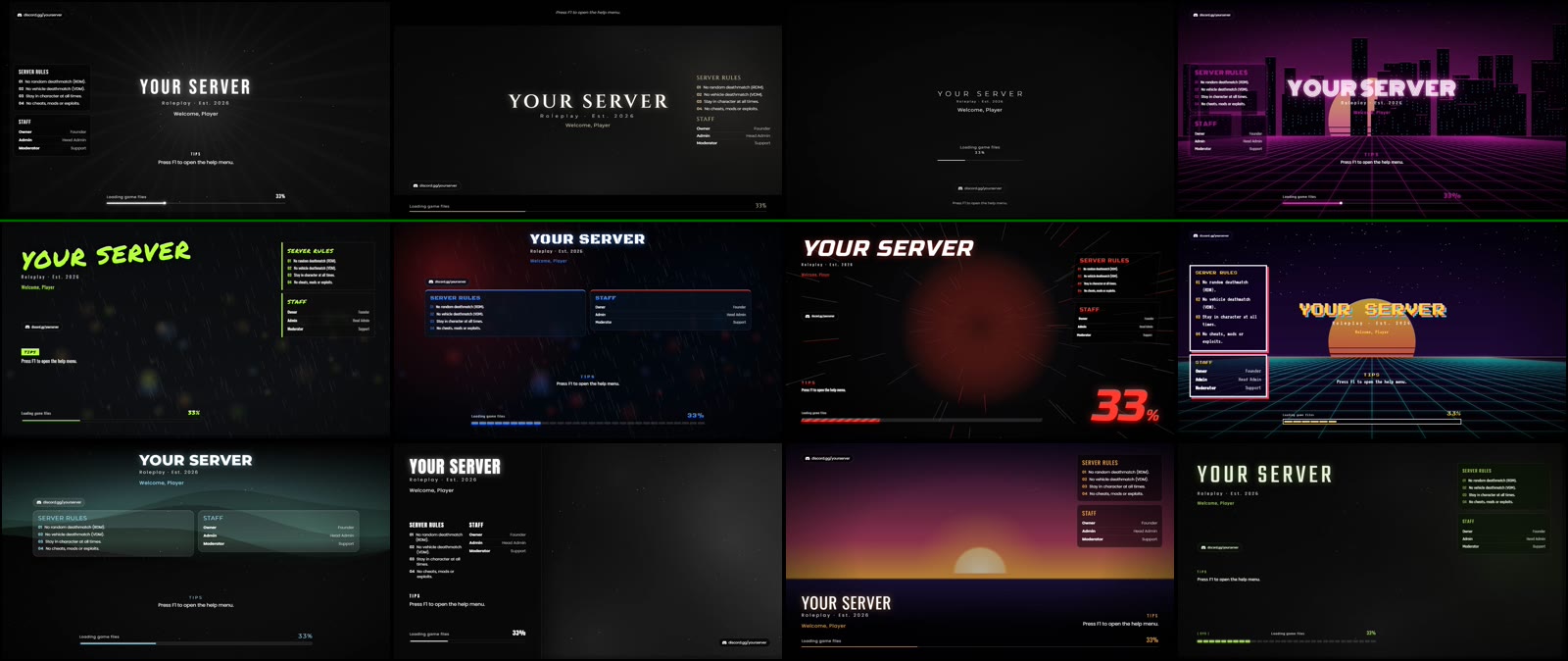
12 templates to start from
Roleplay, police, gang, racing, retro and clean styles. Every one is fully editable, and switching template only changes the look.
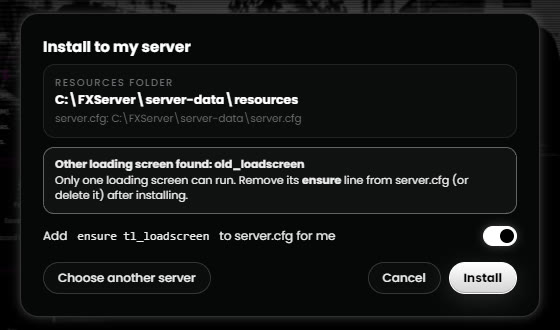
Installed in one click
It makes a ready FiveM resource (fxmanifest, the page and every file) and copies it into your server. An old copy is backed up first.
- Adds ensure to server.cfg for you
- Finds other loading screens so they don't clash
- Save and share presets
FAQ
How do I add the loading screen to my FiveM server?
Click Install to my server, pick your server's resources folder and the tool copies the resource in and adds ensure to server.cfg for you. Or export a .zip and upload it to your host. Then restart the server.
Does the loading bar show the real loading?
Yes. In FiveM the bar follows the game's own loading steps (game files, map, world, joining), and it never jumps back. When the player spawns it fades out.
Can I use a video or a YouTube video as the background?
Yes. Use a .webm video, a picture, a slideshow or a YouTube link. Some YouTube videos (most official music videos) are blocked by their owner from playing outside YouTube; the tool tells you when that happens.
Players can't hear the music. Why?
FiveM plays loading screen sound through its own Windows audio channel, called FiveM Chromium Browser. If it is turned down in the Windows Volume mixer, the music is silent. Turn it up there.
Do I need to know HTML or coding?
No. Everything is buttons and sliders with a live preview. Custom CSS and HTML are there in Advanced if you want them.