
Your Clips.
Your Montage.
★★★★★ 10/10 · Discord reviews
ToxicaLeakz Montage Studio turns your gameplay clips and a song into a finished montage in minutes. It finds your kills, cuts everything on the beat, adds captions, sound effects and transitions, and exports for TikTok, YouTube or Discord. No editing skills needed, and a full editor when you want more.
Also included in the Master Tool with every other ToxicaLeakz tool.
Everything a gaming edit needs, in one app
No CapCut, no Premiere, no second app for captions or sounds. Make it in Easy Mode, fine-tune it in the editor, export it for where you post.
Easy Mode
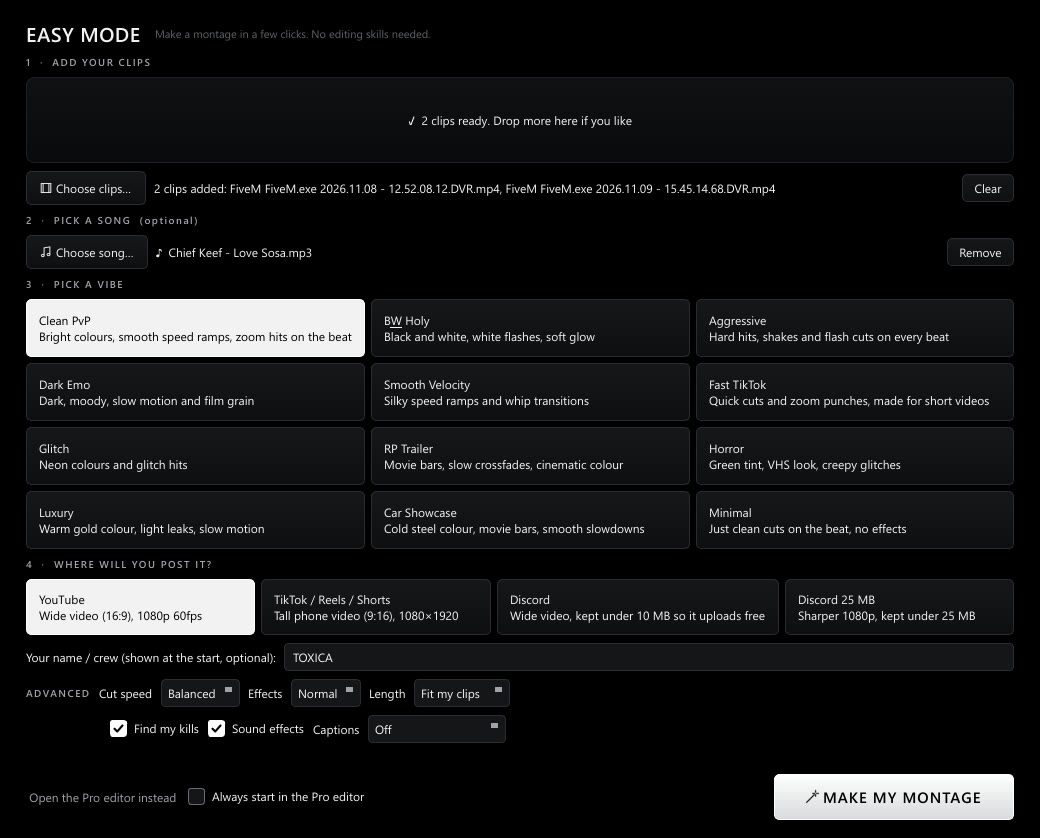
Add clips and a song, pick one of 12 vibes (Clean PvP, B&W Holy, Aggressive, Dark Emo, Smooth Velocity…) and press Make My Montage.
Finds your kills
Scans your clips for kill-feed pop-ups, shots and flashes, and builds the montage from those moments first.
Cuts on the beat
Detects the song's beat and puts every cut, speed ramp and zoom hit on it. Velocity edits with smooth slow motion included.
Auto captions
Writes the captions from the voices in your clips, word by word, in any language. Runs on your PC: free and nothing uploaded.
Sounds & transitions
23 built-in sound effects (whooshes, hits, risers, glitches) and 18 transitions. Auto sound design puts a whoosh on transitions and a hit on kills.
One-click export
TikTok / Reels / Shorts 9:16 (a wide edit is reframed to follow the action), YouTube 1080p or 4K, Discord under 10 MB or 25 MB.
Easy first. Pro when you want it.
A montage in a few clicks
Easy Mode is the first screen, with the extra options right on the page: cut speed, effects, length, find my kills, sound effects and captions.
- 12 vibes, from clean PvP to horror and car showcases
- Your name or crew as the intro title
- Try another vibe in one click
A full editor underneath
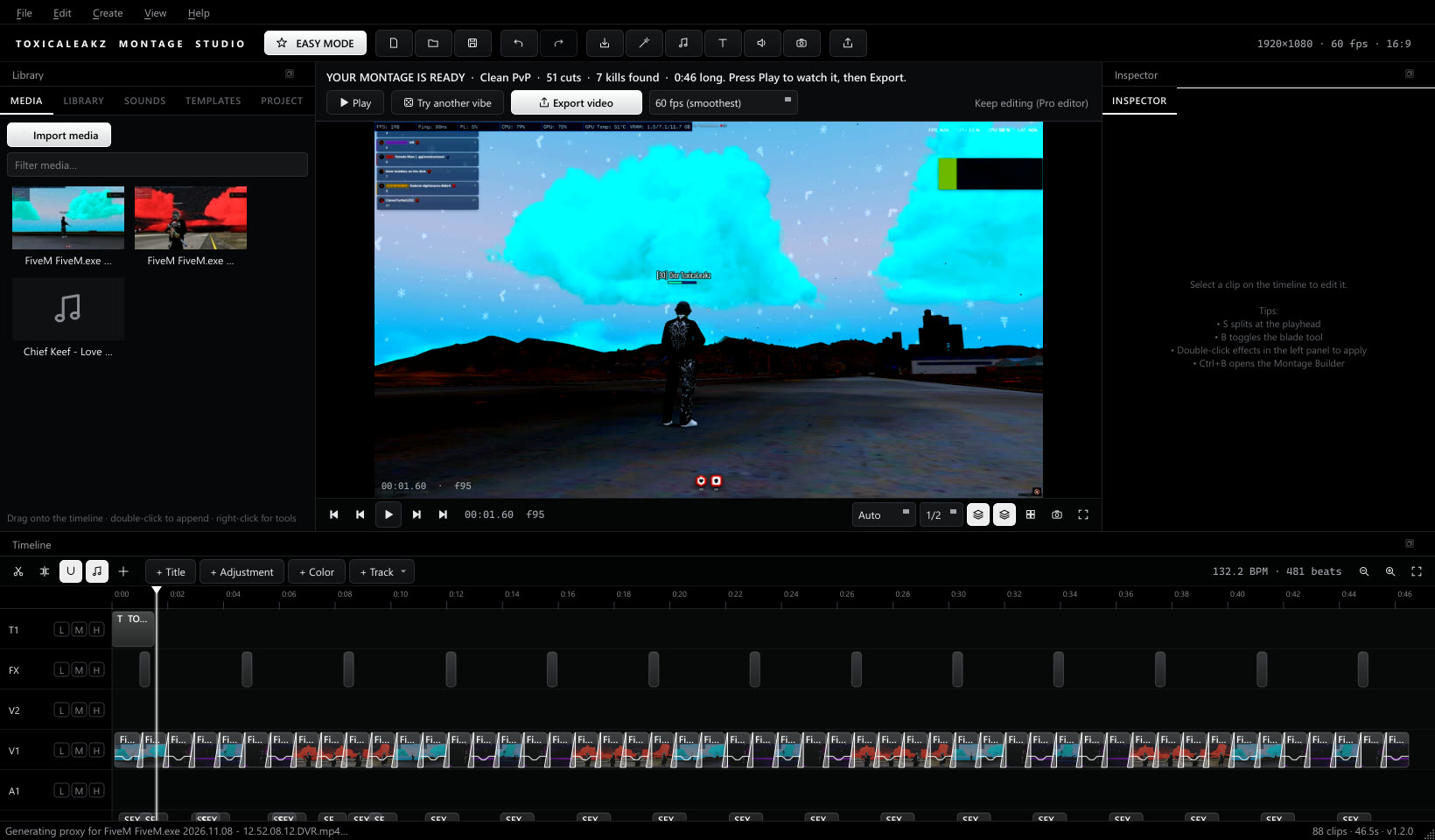
Everything Easy Mode makes is normal clips on a timeline, so you can change any of it.
- Speed ramps, reverse, freeze frames
- 41 effects, colour grading and LUTs, titles
- Facecam picture-in-picture and green screen
- Undo history and autosave
Smooth preview, sound in sync
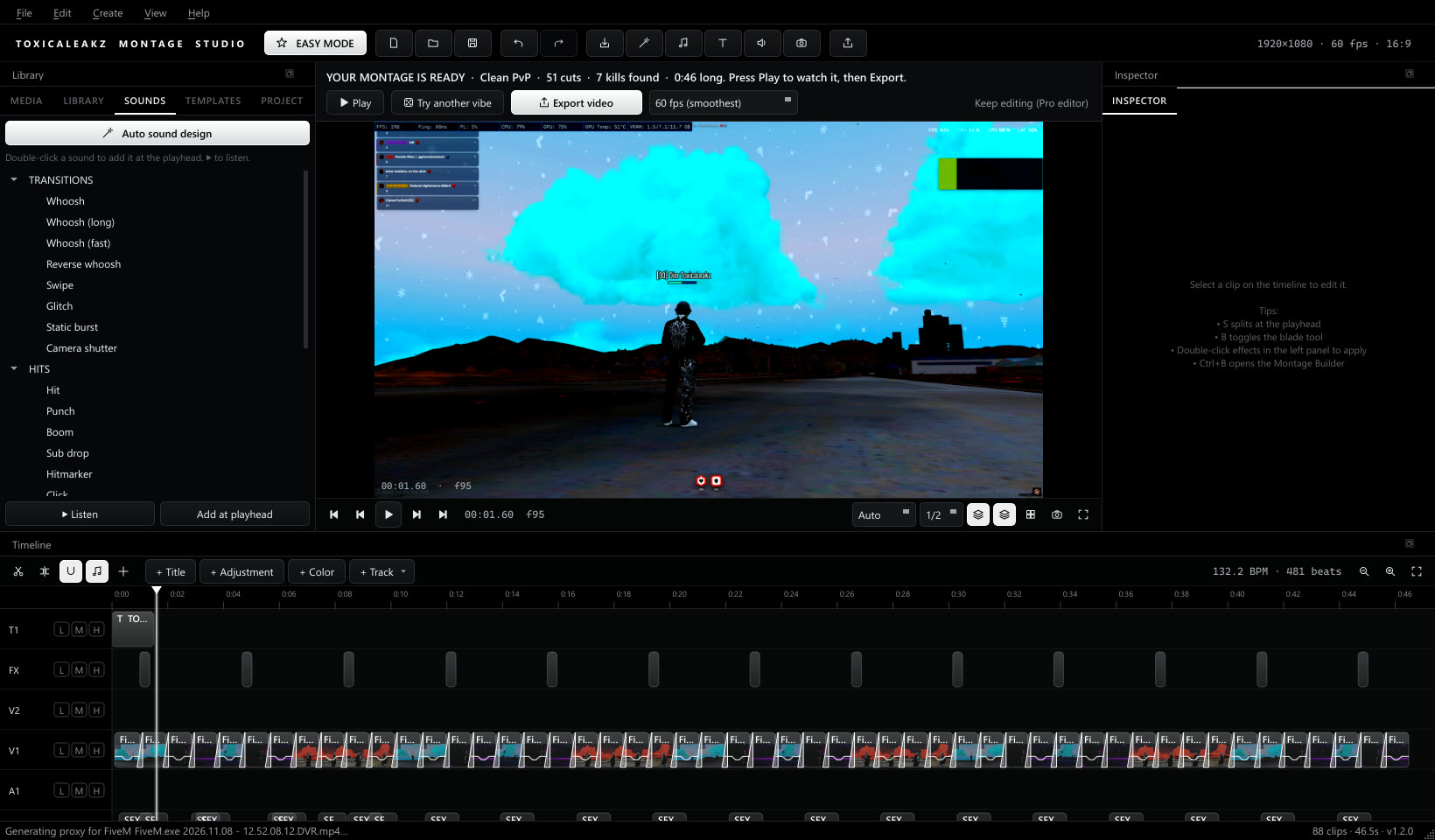
The sound drives the preview, so picture and audio never drift, and the next seconds pre-render while you're paused.
FAQ
Do I need editing skills?
No. Easy Mode opens first: add your clips and a song, pick a vibe and where you'll post it, and press Make My Montage. Everything it makes can be changed in the full editor later.
Is it only for FiveM?
No. It works with clips from any game. Kill detection looks for the kill feed most shooters show in a corner of the screen. It was tested on FiveM clips, and you can turn it off.
Are the captions free?
Yes. Auto captions run on your PC with a built-in speech model, in any language. Nothing is uploaded and there's no per-use cost.
Can I post to TikTok, YouTube and Discord?
Yes. One click exports a tall 1080×1920 video for TikTok, Reels and Shorts (a wide edit is reframed to follow the action), 1080p or 4K for YouTube, or a file under 10 MB or 25 MB for Discord.
What PC do I need?
Windows 10 or 11 (64-bit). A faster CPU exports faster; an NVIDIA, AMD or Intel GPU is used for encoding when available. Exporting a 1-minute 1080p video takes a few minutes on a typical gaming PC.
Is it a subscription?
No. It's $35 one time, with a lifetime key and every update. It's also included in the Master Tool.
Free guides
Learn how it works with our free step-by-step guides.
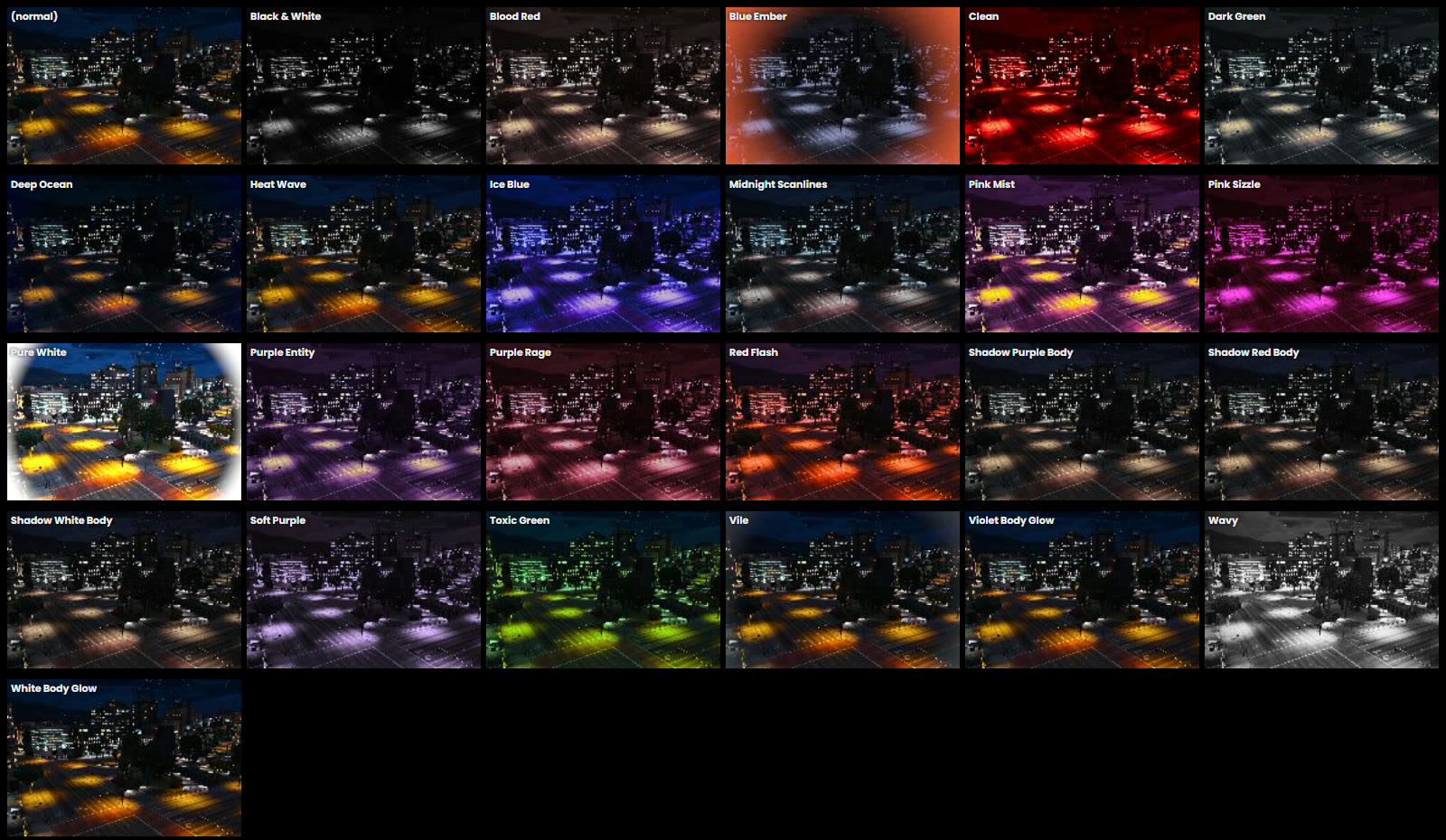
How to change the kill effect in FiveM
Change the FiveM kill effect (the screen flash when you get a kill) without wiping your graphics pack: which file it lives in, the Post FX setting it needs, and how to undo it.
FiveM tracers: install a tracer pack or make your own
Where FiveM tracers live, how to install a tracer pack (.rpf and bloodfx.dat), why tracers stop showing, and how to make your own tracer.