Why ROB RUN is stuck at 60 FPS
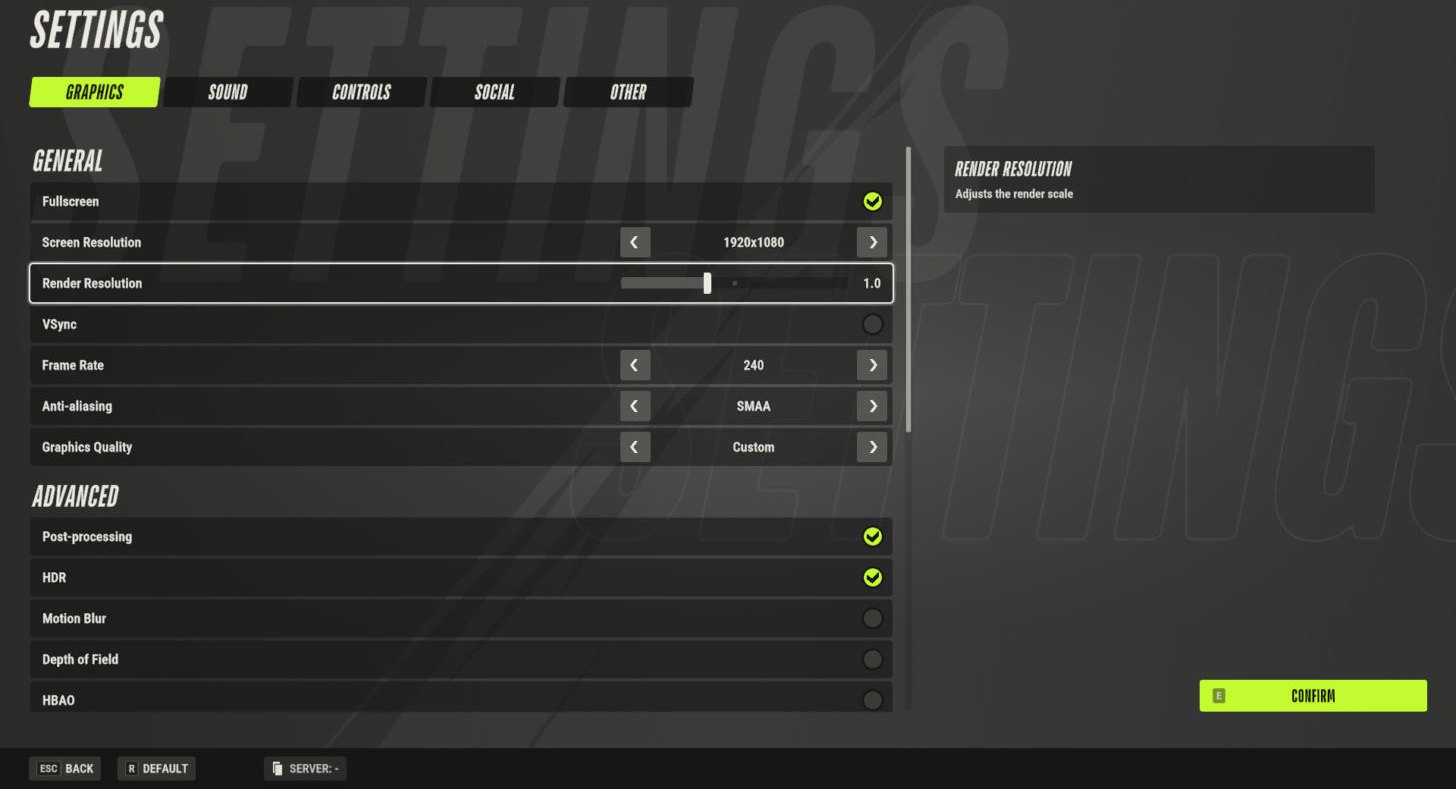
With VSync on, ROB RUN locks itself to 60 FPS and the Frame Rate option is greyed out. On a 120, 144 or 240 Hz monitor that throws away most of what your screen can show.
- Open Settings → Graphics.
- Turn VSync off.
- Set Frame Rate to your monitor's refresh rate (120, 144 or 240), or Unlimited if you want every frame your PC can make.
- Press Confirm.
Which one? A cap that matches your monitor keeps the game smooth and your PC cooler and quieter. Unlimited gives the highest number, but frames above your monitor's Hz mostly just make heat. Not sure what your monitor runs at? Windows Settings → System → Display → Advanced display shows the refresh rate.
Best ROB RUN settings for your PC
Pick the column that fits your PC. Balanced is the right choice for most players: it keeps the game clean and drops the settings that cost the most for the least you can see.
| Setting | Max FPS (weak PC) | Balanced (most PCs) | Quality (strong PC) |
|---|---|---|---|
| Render Resolution | 0.7 – 1.0 * | 1.0 | 1.0 |
| VSync | Off | Off | Off |
| Frame Rate | Unlimited | = your monitor Hz | = your monitor Hz |
| Anti-aliasing | SMAA | SMAA | MSAA x4 SMAA |
| Post-processing | On | On | On |
| HDR | Off | On | On |
| Motion Blur | Off | Off | Off |
| Depth of Field | Off | Off | On |
| HBAO | Off | Off | On |
| Environment Reflections | Off | On | On |
| Eye Adaptation | Off | On | On |
| Additional Light | Off | Off | On |
| Additional Light Shadows | Off | Off | Off |
| Shadows | Minimum | Medium | High |
| Texture Quality | by VRAM ** | by VRAM ** | by VRAM ** |
| Level of Detail | 0.8 | 0.9 | 1.0 |
| LOD Crossfade | Off | On | On |
| Object Visibility Distance | Low | High | Maximum |
| Water | Minimum | Medium | High |
| Grass | Low | High | High |
| Grass Draw Distance | Low | Medium | High |
| Interface Window Blur | Off | Off | Off |
* Render Resolution: 0.7 on a low-end PC, 0.9 on a mid-range PC, 1.0 on a strong one. Below 1.0 the game looks softer but runs a lot lighter.
** Texture Quality: see the next section.
Changing any of these sets Graphics Quality to Custom. That's normal. If the game asks Apply changes? when you leave Settings, pick Confirm to keep your changes. ROB RUN asks this even when nothing changed.
The settings that cost the most
- Shadows: Maximum and High draw a lot of extra shadow detail. Medium looks close and is much lighter.
- HBAO (ambient occlusion) and Additional Light / Additional Light Shadows: extra lighting passes on every frame. Turn them off first on a weaker PC.
- Object Visibility Distance, Grass and Grass Draw Distance: how much of the city and how much grass is drawn. Big FPS cost in open areas.
- Anti-aliasing: MSAA x4 is heavy. SMAA smooths edges for very little.
- Motion Blur and Depth of Field: they cost FPS and make the game blurrier in fights. Most players turn both off.
Texture Quality and your VRAM
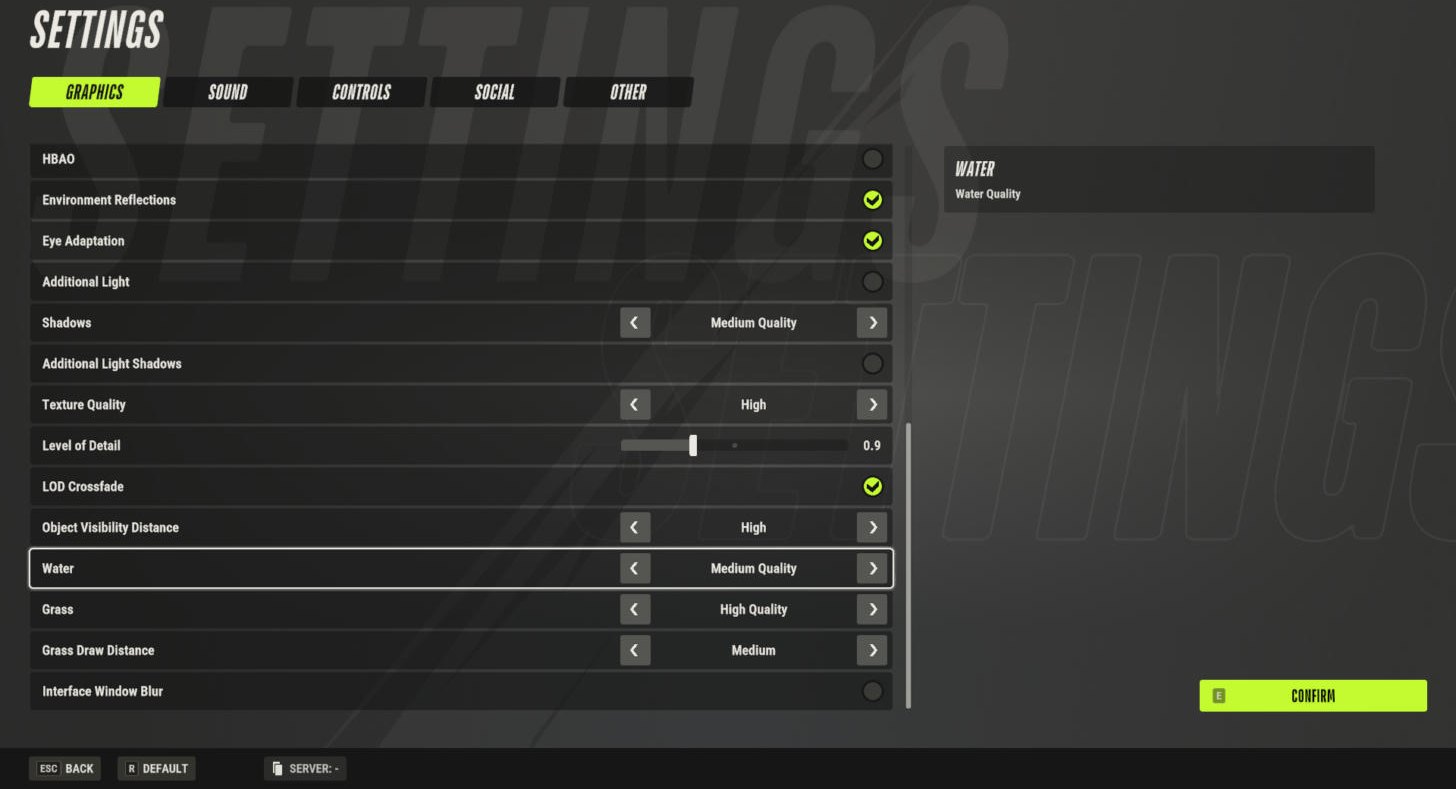
Texture Quality mostly uses your graphics card's memory (VRAM), not FPS. Too high for your VRAM and you get stutters and blurry textures instead.
- 6 GB of VRAM or more: High.
- 4 to 6 GB: Medium.
- Under 4 GB: Low.
See your VRAM in Task Manager → Performance → GPU (Dedicated GPU memory).
Windows and PC tips
- Update your graphics driver from NVIDIA, AMD or Intel.
- Close background apps before you play: browsers with many tabs, downloads and recording apps.
- Plug your laptop in and use a performance power mode.
- Turn on Game Mode in Windows Settings → Gaming.
- Restart the game after big settings changes if it feels off.
Stay safe with anti-cheat. ROB RUN uses Easy Anti-Cheat. Don't use injectors, "FPS unlockers" that hook into the game, or tools that change game files. Everything in this guide is in the game's own Settings menu.
Set it all up in one click
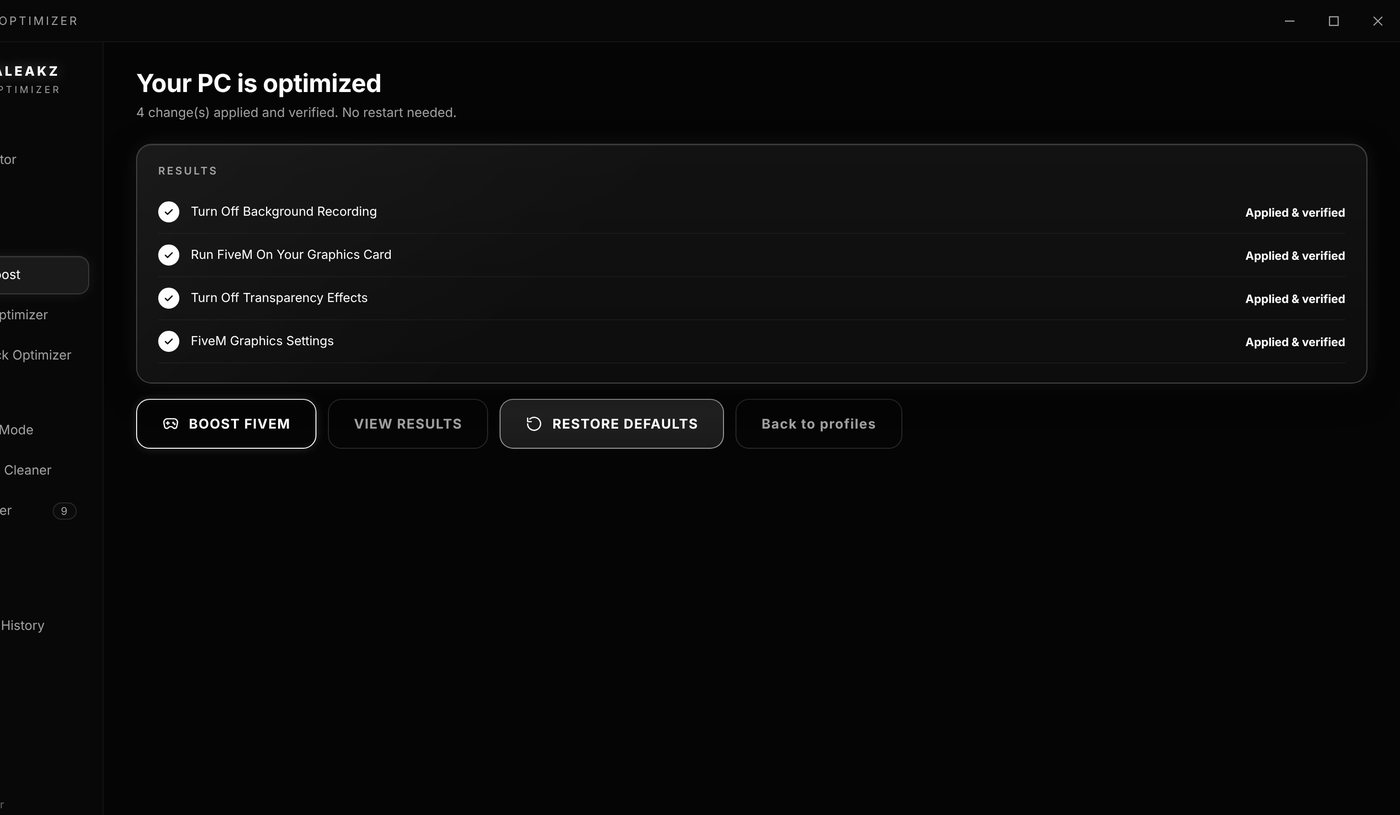
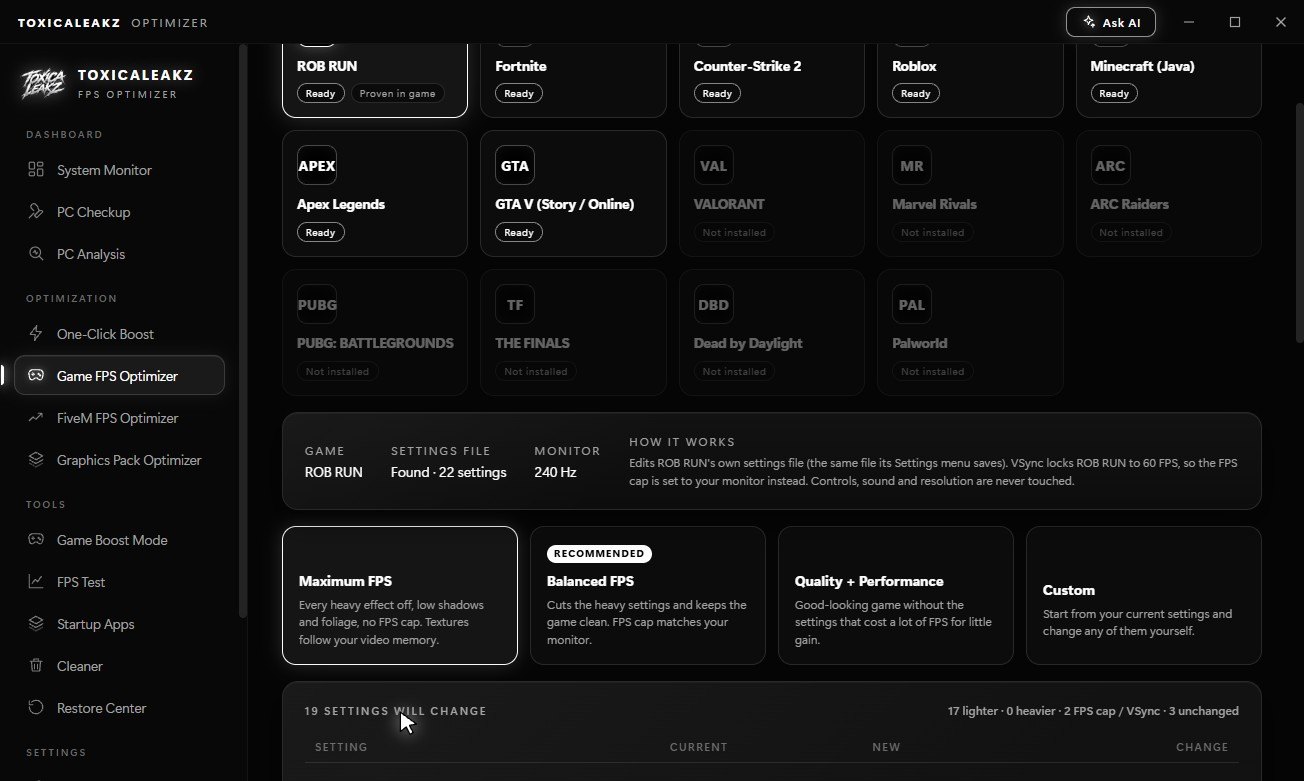
The ToxicaLeakz Optimizer (2.2) has a Game FPS Optimizer page that does all of the above for ROB RUN and 13 other games.
- Max FPS, Balanced, Quality or Custom, sized to your graphics card and its VRAM. The FPS cap is set to your monitor's refresh rate and VSync is turned off.
- It changes ROB RUN's own settings file, the same file the Settings menu saves. It never touches the game, its folder or Easy Anti-Cheat. Controls, sound and resolution are never changed. ROB RUN must be closed.
- Proven in the real game: ROB RUN loaded every setting and kept them.
- Did it stick? checks after you play that the game kept every setting.
- Restore puts your old settings back exactly, in one click.
- Also in the Optimizer: Game Boost Mode (High performance power plan and closes the apps you pick while you play), the FPS Test (before/after numbers) and Windows tweaks in One-Click Boost.
FAQ
Why is ROB RUN locked at 60 FPS?
VSync is on. With VSync on, ROB RUN caps itself at 60 FPS and greys out the Frame Rate option. Turn VSync off and set Frame Rate to your monitor's refresh rate or Unlimited.
What are the best ROB RUN settings for a low-end PC?
VSync off, Frame Rate Unlimited, Render Resolution 0.7 to 0.9, Shadows Minimum, HBAO, Additional Light, Motion Blur and Depth of Field off, Object Visibility Distance Low, Grass and Grass Draw Distance Low, Water Minimum, and Texture Quality by your VRAM.
Should I use Unlimited or cap my FPS?
Capping at your monitor's refresh rate (120, 144 or 240) keeps it smooth with less heat and noise. Unlimited gives the highest number, which can help on a weaker PC that never reaches the cap anyway.
Can I get banned for changing ROB RUN settings?
Not for using the game's own Settings menu. Stay away from injectors and tools that change game files: ROB RUN uses Easy Anti-Cheat. The ToxicaLeakz Optimizer only edits the same settings file the menu saves.
Can I edit the ROB RUN settings file by hand?
We don't recommend it. ROB RUN keeps its settings in a file under AppData\LocalLow\Kefir\ROB RUN\settings, and in our tests rewriting the whole file made the game reset many settings to max. Use the Settings menu, or the Optimizer, which changes one value at a time and backs the file up first.