 ToxicaLeakz
FiveM FPS Boost
More FPS in FiveM with one click. The ToxicaLeakz Optimizer checks your PC, lowers only the FiveM settings that cost FPS, puts your PC in gaming mode while you play, cleans the cache, and undoes everything in one click. Made for low-end and mid-range PCs.
Windows 10 / 11 · no admin, no restart · undo anything in one click
Everything that slows FiveM down, in one app
FiveM lag usually comes from a mix of things: heavy graphics settings, a PC that's busy with other apps, a power plan holding the CPU back, and a cache full of old files. The optimizer handles all of it, and shows you every change before it makes it.
Knows your PC
Detects your CPU, graphics card, memory and drive, and tells you if it's low-end, mid-range or high-end, with the reasons in plain English.
FiveM FPS Optimizer
Recommended FiveM graphics for your PC: Maximum FPS, Balanced FPS, Quality + Performance or Custom. Only lowers what costs FPS.
One-Click Boost
Safe Windows tweaks that help games, like turning off background recording and running FiveM on your graphics card. Applied and checked in seconds.
Boost FiveM
A gaming mode just for FiveM: full CPU speed, higher priority for the game, and apps you pick closed while you play. Back to normal when FiveM closes.
Graphics Pack Optimizer
Finds the graphics pack in your FiveM and makes it lighter, without losing its colours and sky.
Cache Cleaner + Restore
Frees gigabytes of old FiveM files and fixes loading and texture problems. Every change can be undone in one click.
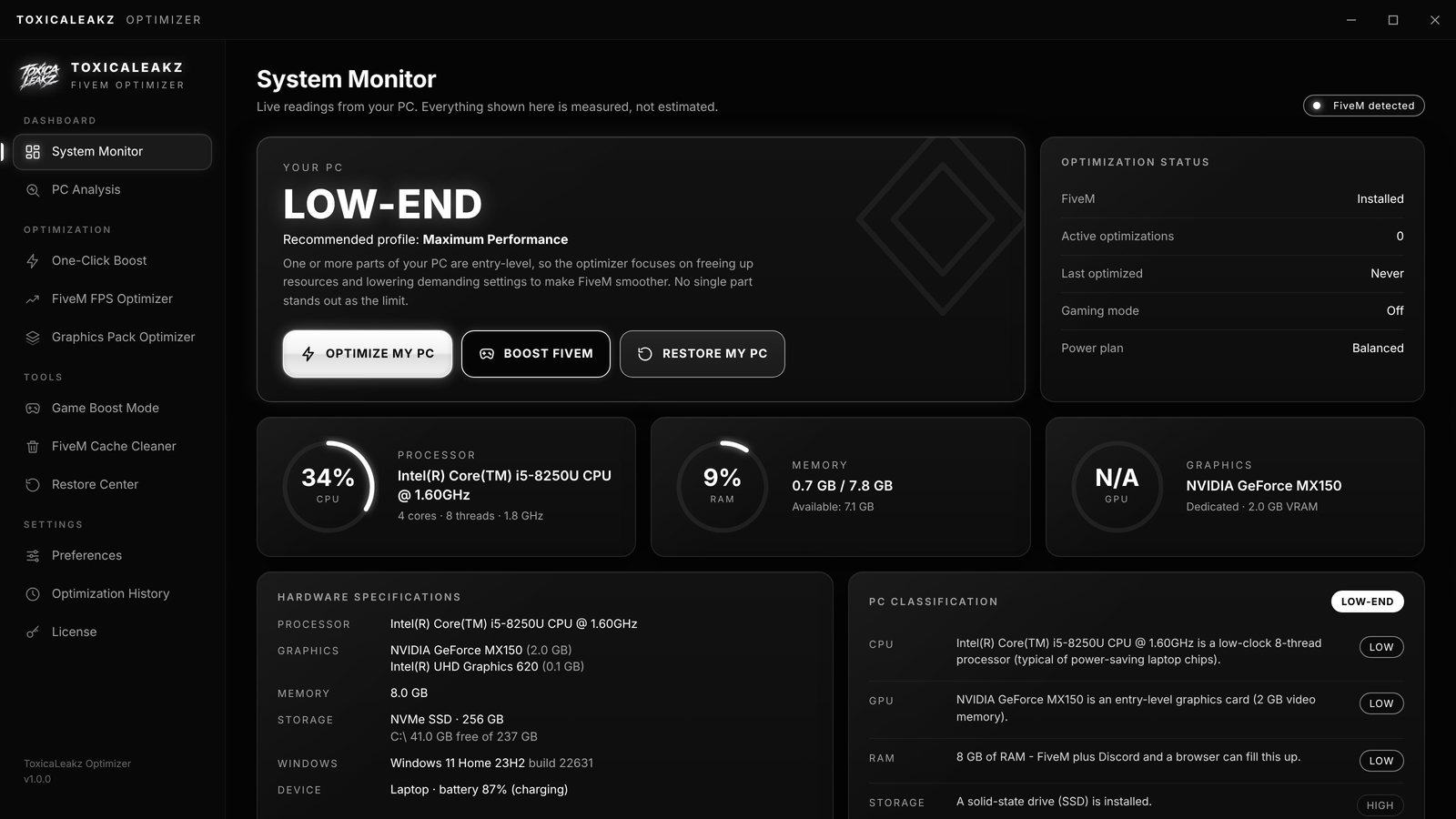
It checks your PC first
Live CPU, memory and graphics readings, measured from your PC, not guessed. The optimizer classifies your PC and picks the right profile, so a gaming laptop and a high-end desktop each get what helps them.
- Low-end / mid-range / high-end detection
- Finds FiveM, GTA V and your graphics settings
- Laptop-aware: never forces full power on battery
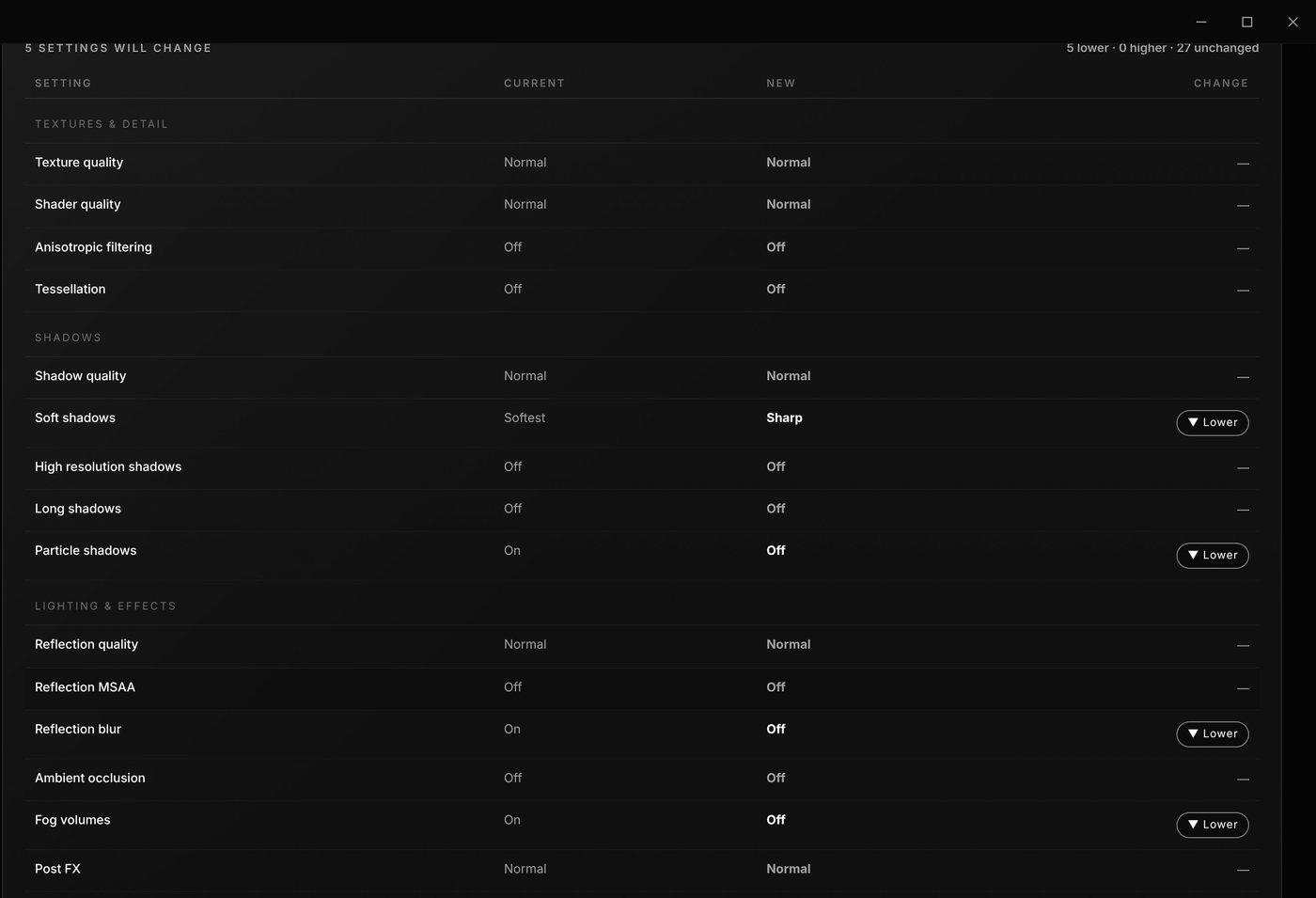
Only lowers what costs FPS
See every FiveM setting, what it is now and what it will be. Soft shadows, particle shadows, reflection blur, fog: the heavy ones get lowered, everything else stays as it is.
- Never raises a setting
- Never touches your resolution, display mode or refresh rate
- Your current settings are backed up first
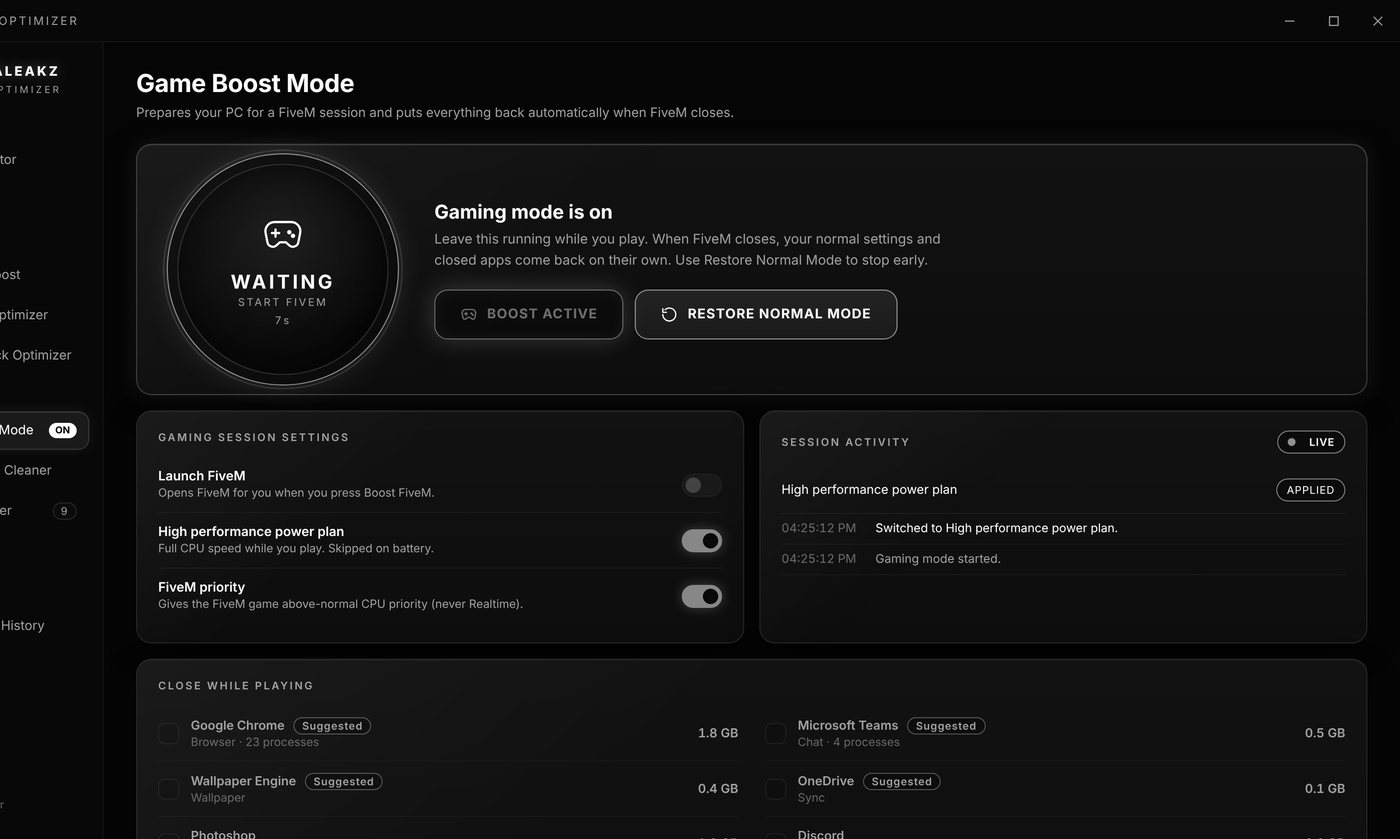
Gaming mode, just for FiveM
Press Boost FiveM before you play. Your PC switches to full speed, FiveM gets priority, and apps like Chrome or Discord can close while you play and come back afterwards. When FiveM closes, everything goes back to normal on its own.
How to boost FPS in FiveM
Three steps. No admin rights, no restart, nothing you can't undo.
Open the optimizer
It scans your PC and FiveM and recommends a profile for you.
Press Optimize My PC
Check what will change, press Apply. Every change is backed up and verified.
Press Boost FiveM
Gaming mode on while you play. It turns itself off when FiveM closes.
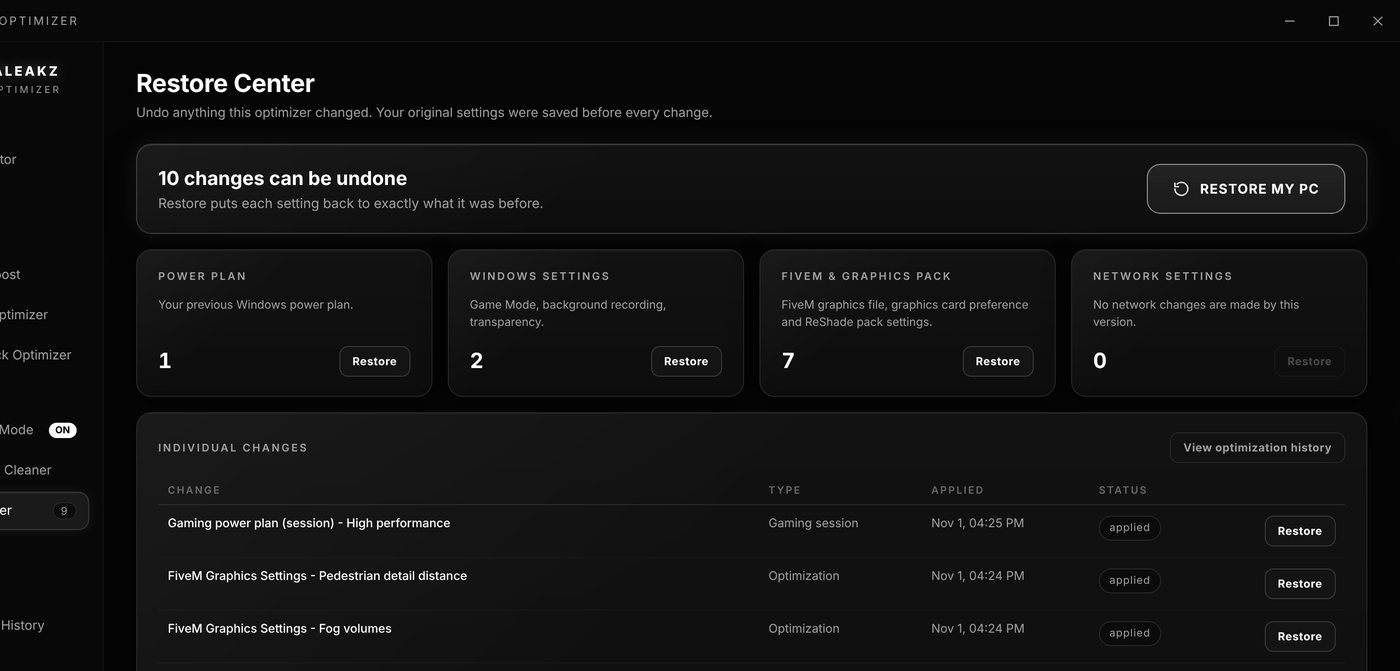
Undo anything, any time
The Restore Center lists every change with the time it was made. Restore everything with one click, one category, or a single setting. It always works, even if your key isn't active.
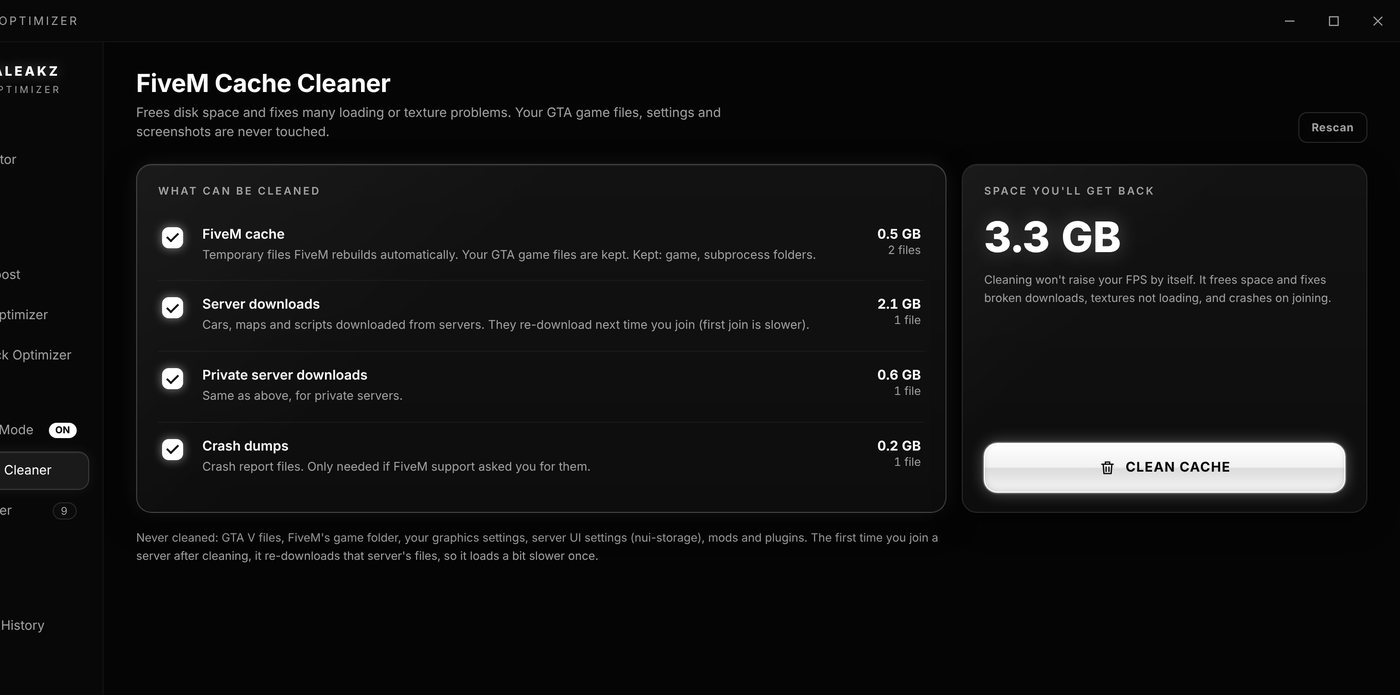
Clean the FiveM cache safely
See exactly how much space each part takes before you clean. Temporary files FiveM rebuilds by itself are removed. Your game files, settings and mods are never touched.
Making your own FiveM sounds?
Check out the ToxicaLeakz Soundpack Tool: replace any gun or headshot sound, make it louder or 3x longer, and install it in one click.
FAQ
How much FPS will I get in FiveM?
It depends on your PC, your graphics pack and the server. Low-end and mid-range PCs gain the most, because the optimizer frees up the CPU, GPU and memory FiveM needs and lowers the settings that cost the most FPS.
Is it safe? Can I undo it?
Yes. It only uses normal Windows and FiveM settings, saves your current settings before every change, and the Restore Center puts everything back in one click - all at once, by category, or one change at a time.
Does it make FiveM look worse?
You choose the profile. Maximum FPS lowers every heavy setting; Balanced FPS and Quality + Performance keep the game looking good and only cut what costs a lot of FPS for little gain. It never raises a setting and never changes your resolution, display mode or refresh rate.
Do I need admin rights or a restart?
No. The optimizations are per-user settings, so no admin rights and no restart are needed.
What does Boost FiveM do?
It switches on a gaming mode while you play: the High performance power plan and higher priority for the FiveM game, and it can close apps like browsers while you play. Everything goes back to normal by itself when FiveM closes.
Will the cache cleaner delete my game?
No. It only removes temporary files FiveM rebuilds by itself, like the cache and server downloads. Your GTA V files, FiveM game folder, settings and mods are never touched.
Get more FPS today
ToxicaLeakz › Tools › FiveM FPS Boost