 ToxicaLeakz
Your Drip.
In Minutes.
The ToxicaLeakz Clothing Studio lets you design FiveM clothing on a live 3D model: recolour it, make colourways, add camo and other patterns, put your logo and text on it, then build a FiveM-ready resource in one click.
Everything to make a clothing pack
Bring your clothing models in, design the textures with a live 3D preview, and build. The tool writes the FiveM files for you.
Drop it in
Import .ydd models with their .ytd textures, or a whole resource. Slots, male/female and texture letters are worked out from the names.
Live 3D preview
See every texture on the model as you work, with a turntable, orbit and zoom. Up to 26 variations per item.
Colourways
Turn one texture into a whole colour range in one click, keeping its folds and shading.
Texture Studio
Layers for images, text, patterns, colour and freehand paint, with 8 blend modes and the model's UV layout as a guide.
12 patterns
Camo, digital camo, tie-dye, plaid, hex, chevron, stripes and more, each with its own colours, scale and angle.
One-click build
fxmanifest, .ymt, .meta files and sorted folders, ready to drop on your server, plus the ensure line to copy.
Design it on the model
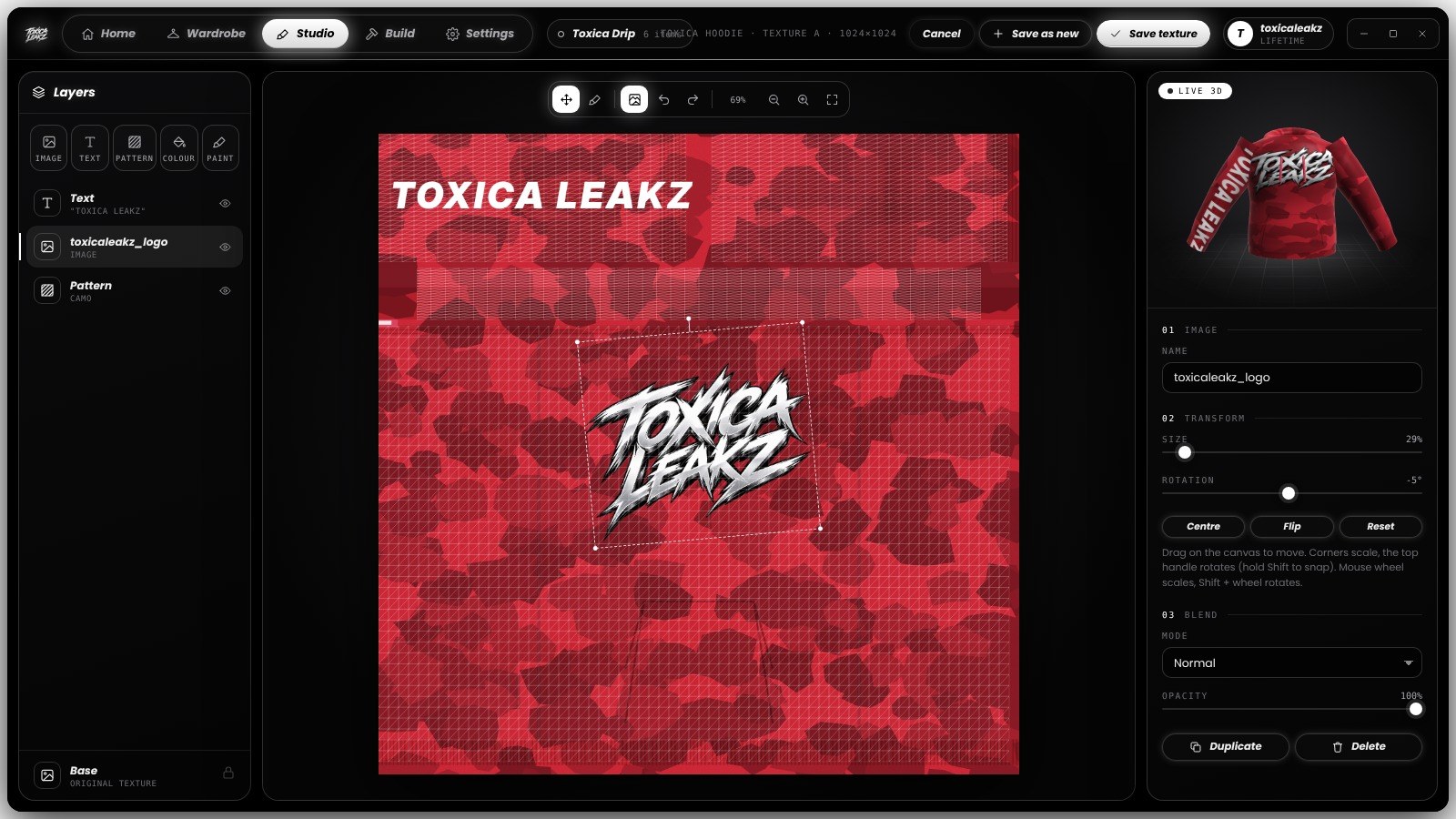
Your logo, your text
Place your logo on the chest, scale and rotate it, then add text down the sleeve. The live 3D model next to it shows exactly where everything lands.
- 7 fonts with outline and letter spacing
- Move, scale, rotate and flip any layer
- Undo and redo as much as you need
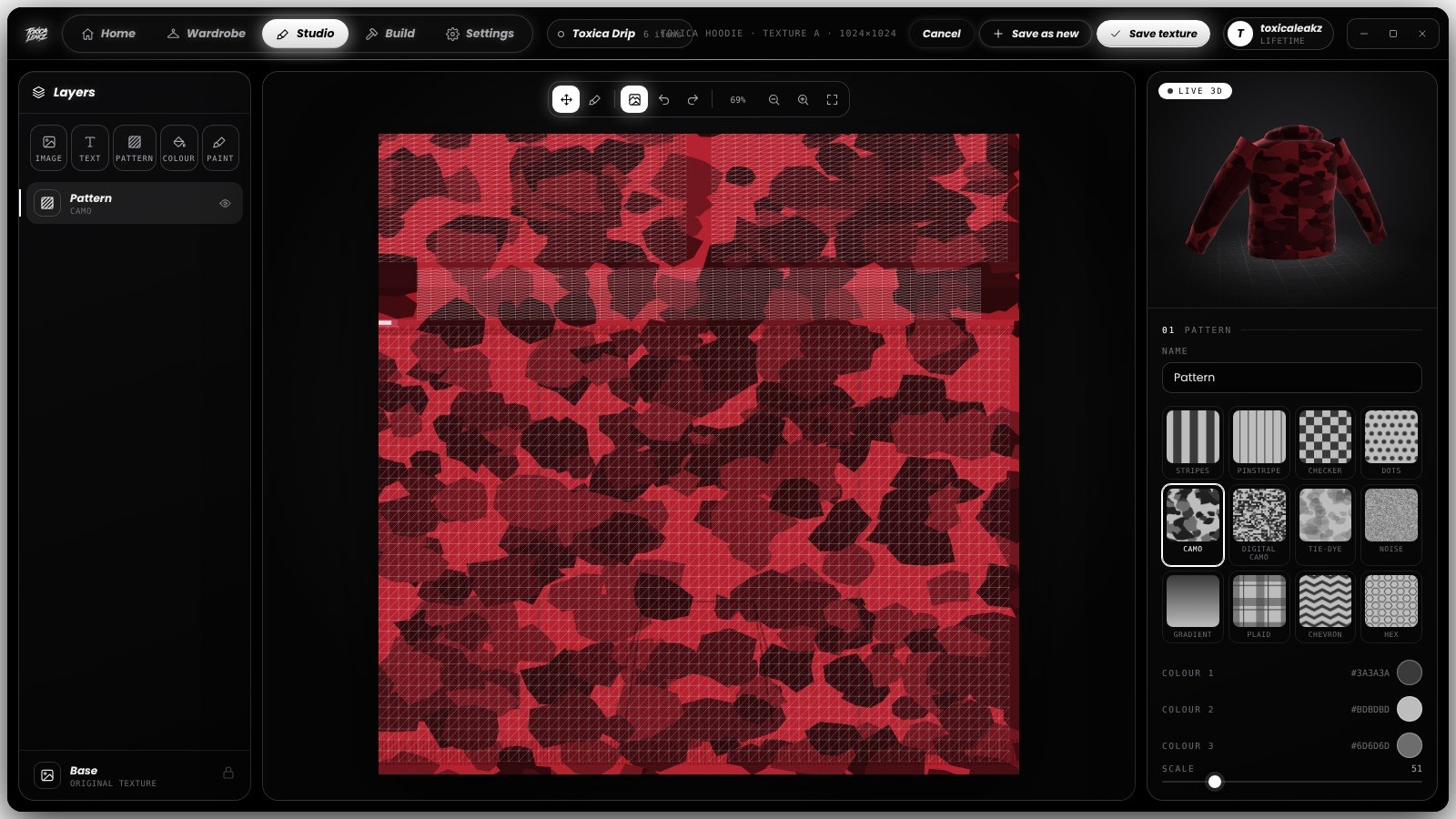
Patterns in one click
Drop a camo, tie-dye or hex pattern over your colour, pick its three colours and blend it in. Switch patterns and the model updates right away.
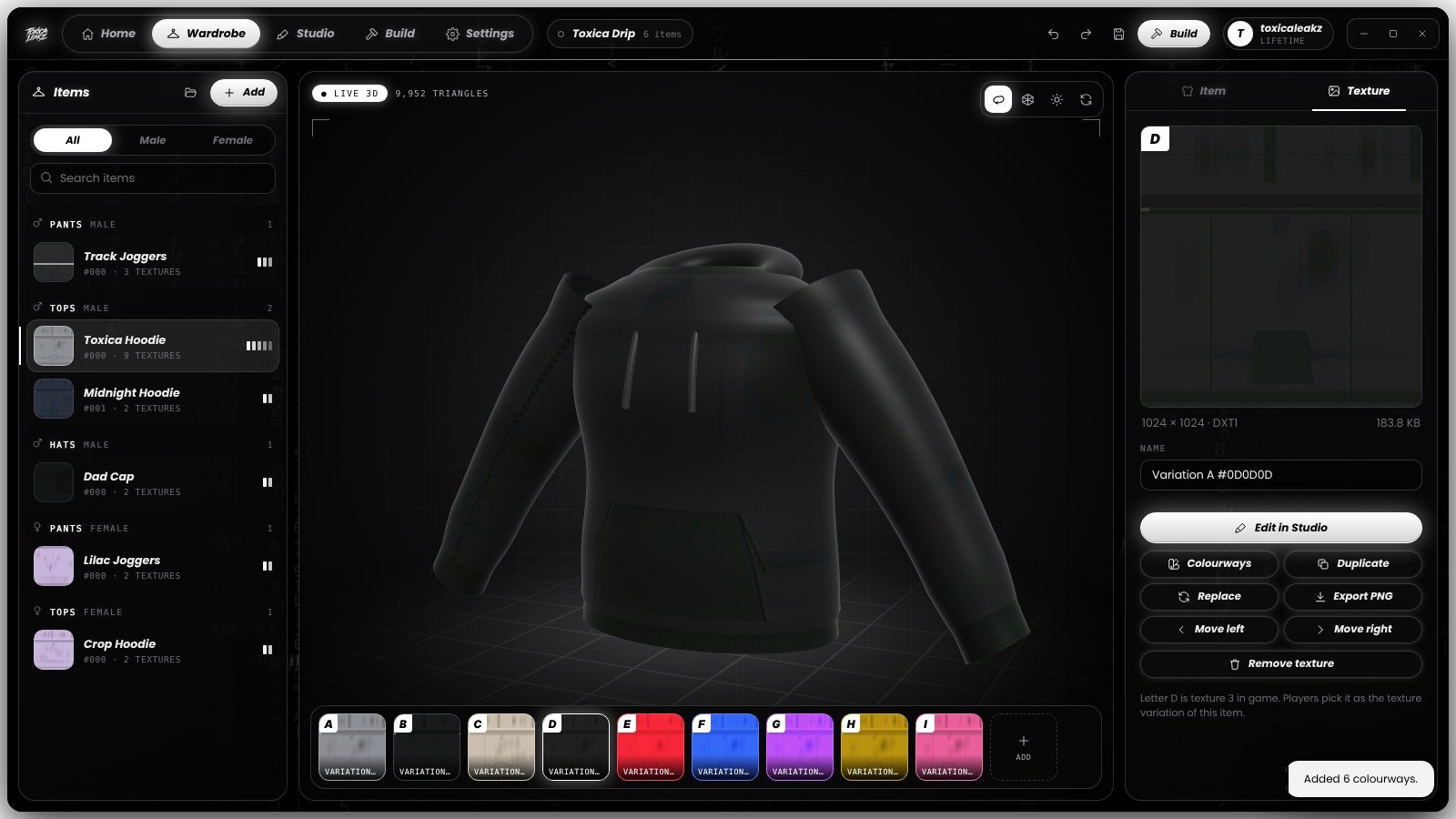
A whole range at once
Pick colours from 16 presets or your own, press Create, and every colourway is added as a new texture variation with the original shading kept.
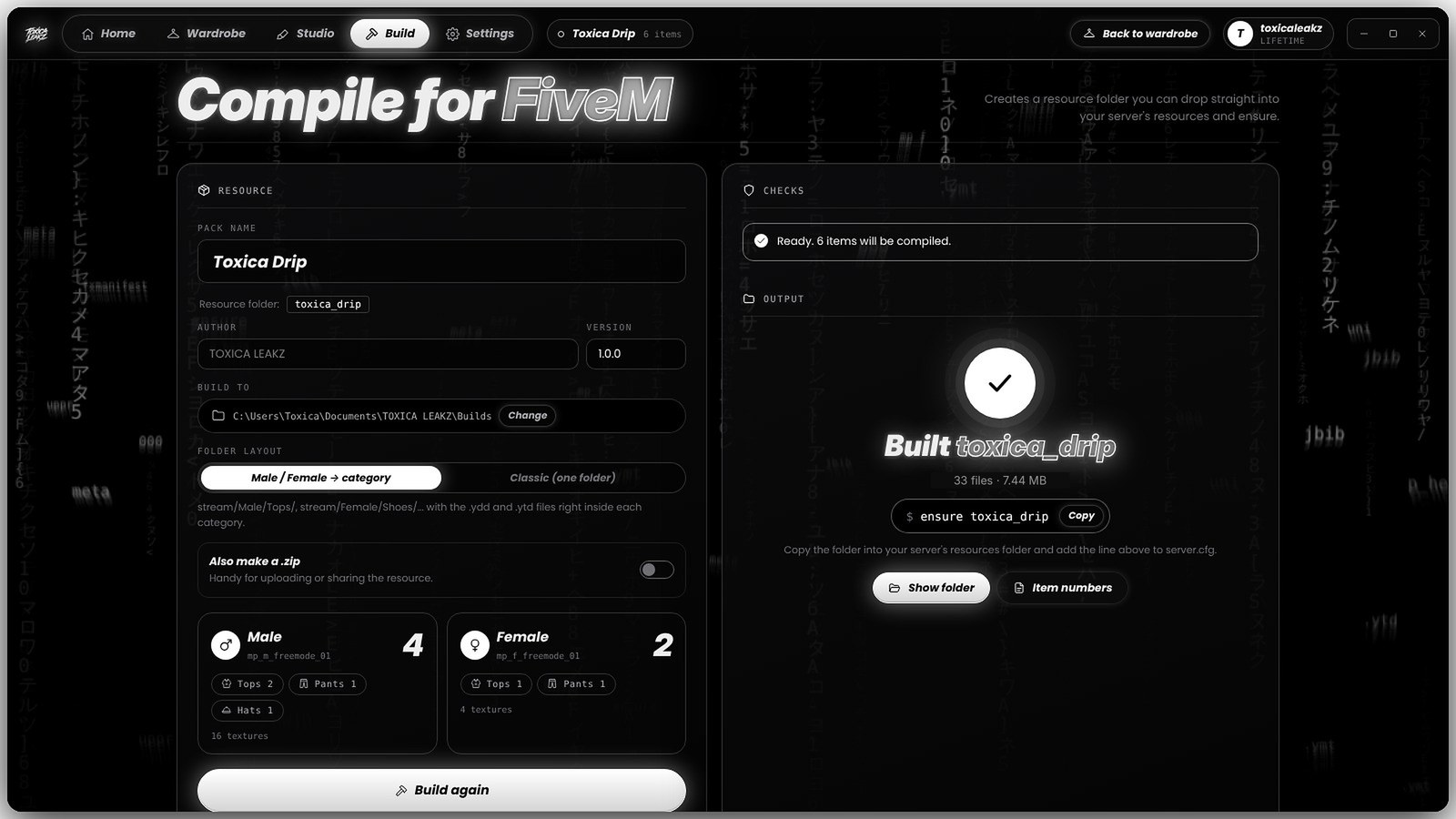
Build and ensure
The build checks your pack first, then writes a ready resource sorted into Male and Female folders. Copy the ensure line into server.cfg and you're done.
More ToxicaLeakz tools
Blood FX, sound packs, skies, guns and more. Get the main tools in one app with the Master Tool.
FAQ
What does the Clothing Studio do?
It designs textures for FiveM clothing and builds the finished clothing resource. Import your .ydd models and .ytd textures (or a whole resource), recolour them, add patterns, logos and text with a live 3D preview, then press Build.
Does it make 3D clothing models?
No. It textures and compiles clothing. The 3D models come from Blender with Sollumz, CodeWalker or OpenIV, and the Clothing Studio does everything after that.
Which slots does it support?
12 clothing slots and 11 prop slots, like masks, tops, pants, shoes, chains, hats, glasses and watches, for both the male and female freemode peds.
Can I use my own pictures?
Yes. Any PNG, JPG, WEBP or BMP becomes a game texture. The size and compression are handled for you, and it switches to DXT5 automatically when your image has see-through parts.
What do I get when I build?
A FiveM-ready resource: fxmanifest.lua, the .ymt, a .meta for each gender, sorted folders and a README with the item numbers. It also shows the exact ensure line to copy, and can make a .zip.
Can I undo mistakes?
Yes. Undo and redo work in both the pack and the Studio, and unsaved work is recovered automatically.
Is it a subscription?
No. It's $35 one time, with a lifetime key and every update.
Make your pack today
ToxicaLeakz › Tools › Clothing Studio