 ToxicaLeakz
Your Cars.
Tuned Right.
ToxicaLeakz Car Studio lets you type the top speed and 0-60 you want and builds the handling for you. Edit the 3D model, set window tint, add nitro, drift mode and a speed limiter, then export a server-ready FiveM resource.
Everything for your FiveM vehicles
Open a vehicle folder, a .yft, or an .rpf or .oiv package and every vehicle becomes a project you can come back to.
Type the speed
Enter a top speed and 0-60. The simulator builds the handling and shows top speed, 1/4 mile and braking before you save.
31 presets
Hyper 300 mph, Drift, Drag, Police, Rally, Lowrider and more, across cars, bikes, trucks, boats, planes and helicopters.
Feel sliders
Brakes, grip, shift speed, suspension, damage, downforce, centre of mass and ride height, plus the full handling table.
3D model editor
Spin the car in 3D, repaint it live, then move, rotate, scale or delete parts and remove badges in one click.
Tint & extras
The 7 FiveM tint levels or any colour and darkness, previewed on the car. Turn extras on or off.
In-game features
Nitro, drift key, speed limiter, traction control, anti-flight, bulletproof tyres, 0-60 timer and max upgrades.
Tune it. See it. Ship it.
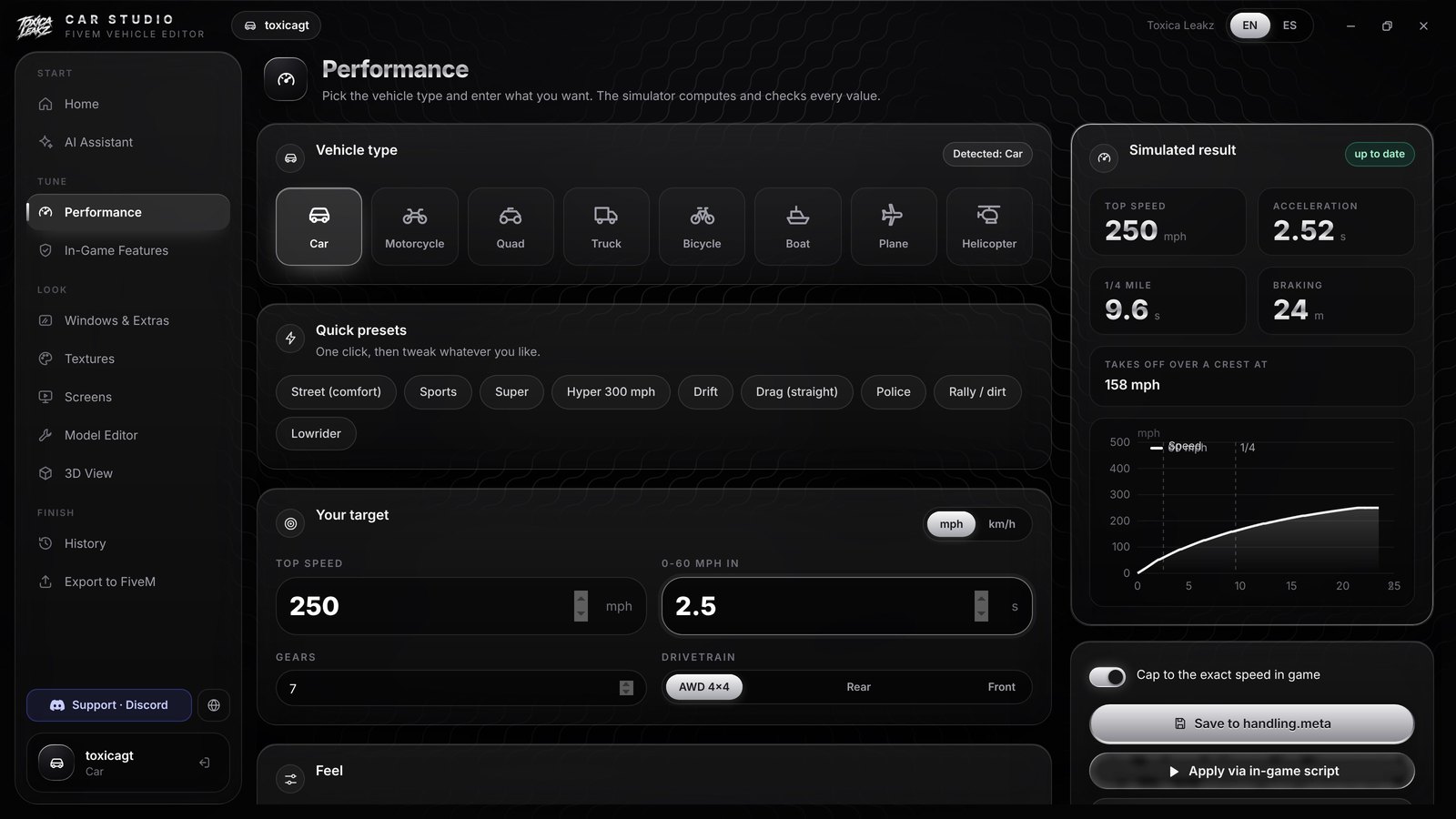
Say the speed, get the handling
Type 250 mph and 0-60 in 2.5 seconds. The simulator works out the handling, draws the speed curve and shows the braking distance, then saves it to handling.meta with a backup.
- Cap to the exact speed in game
- Apply live with the in-game script
- Copy the XML if you want it
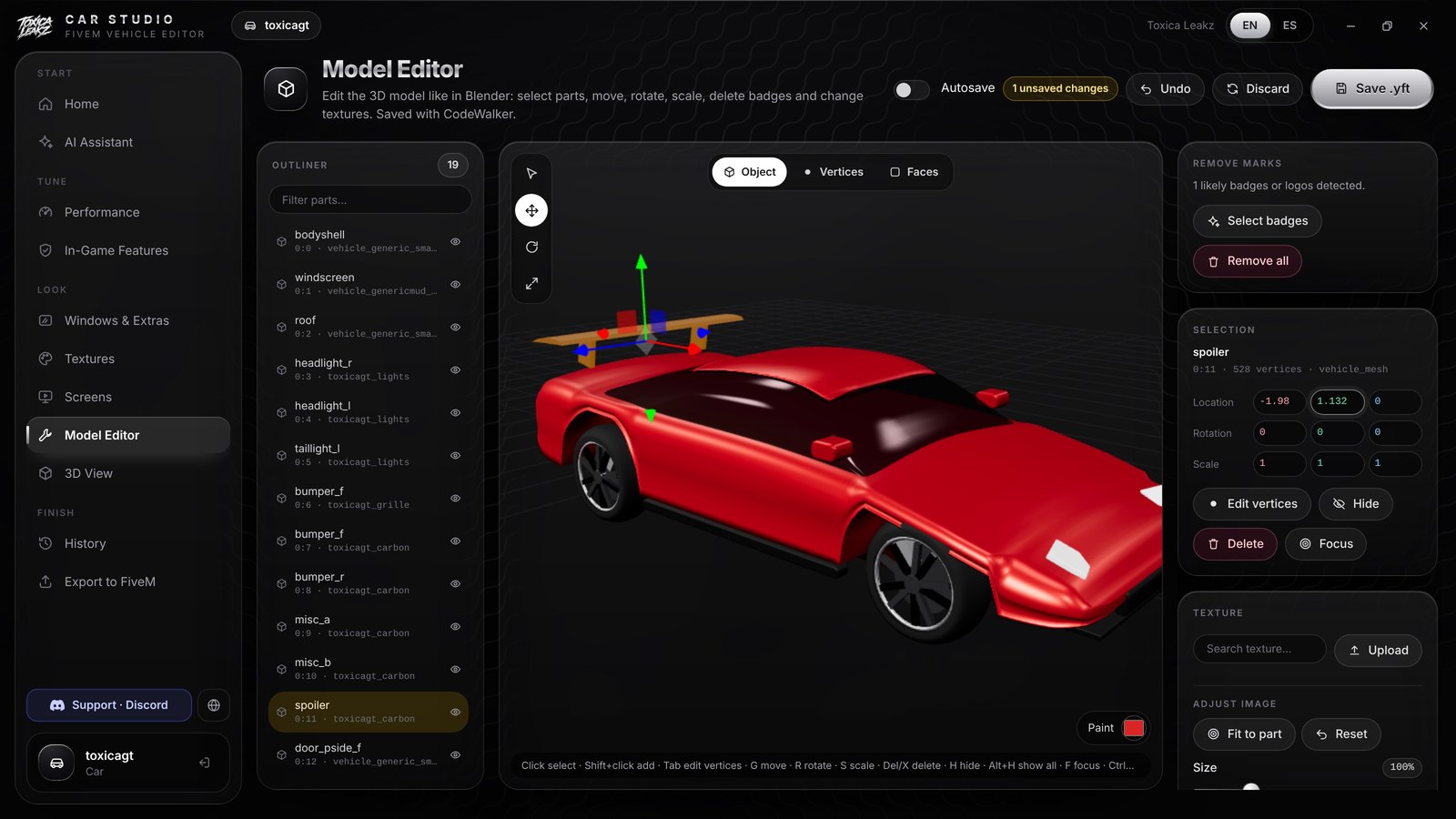
Edit the model
Pick a part in the outliner, move it with the gizmo or type exact numbers. Badges and logos are found for you and removed with one click.
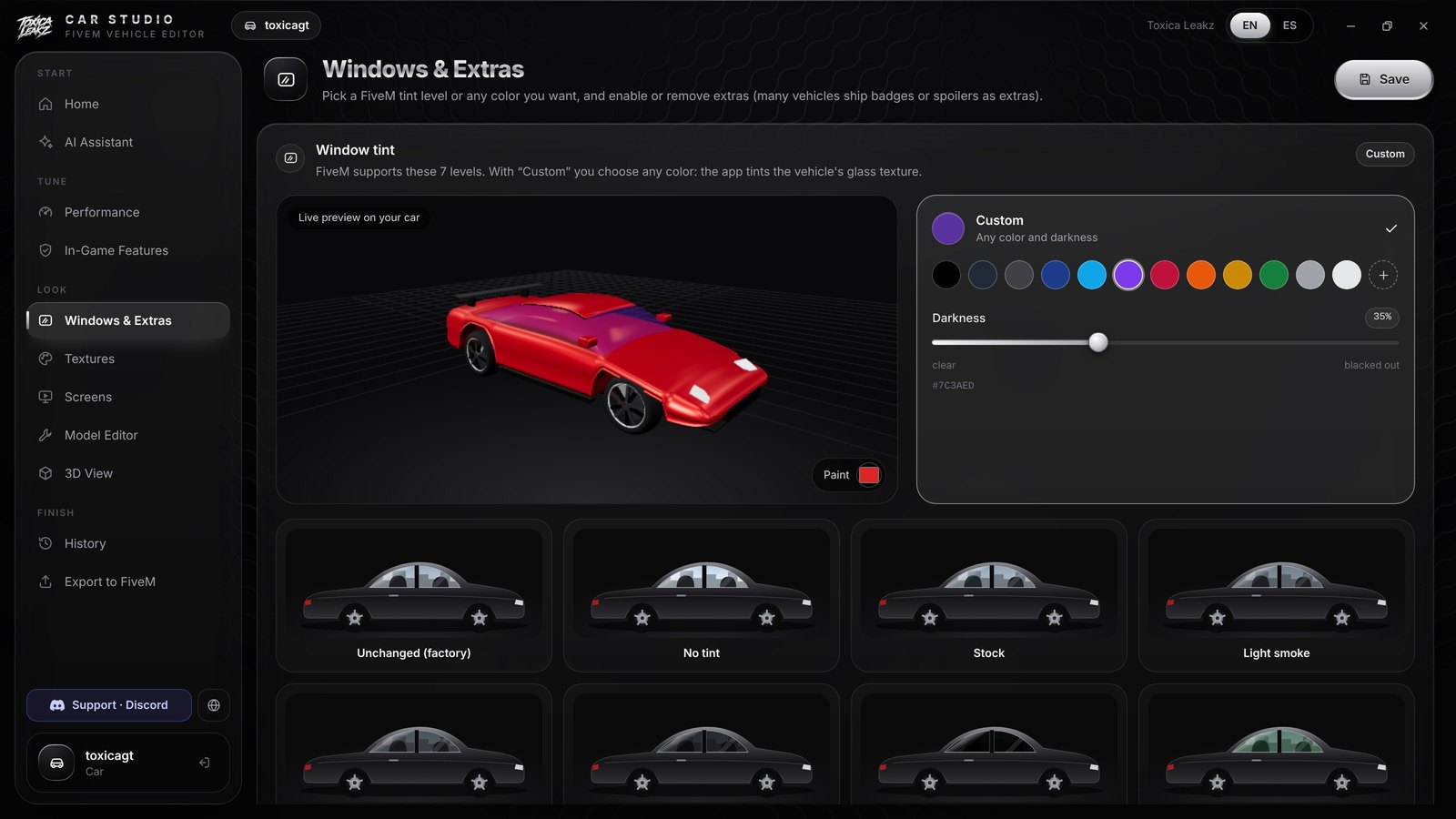
Any tint you like
Use the 7 FiveM tint levels or pick any colour and darkness. The tint shows on the 3D car right away.
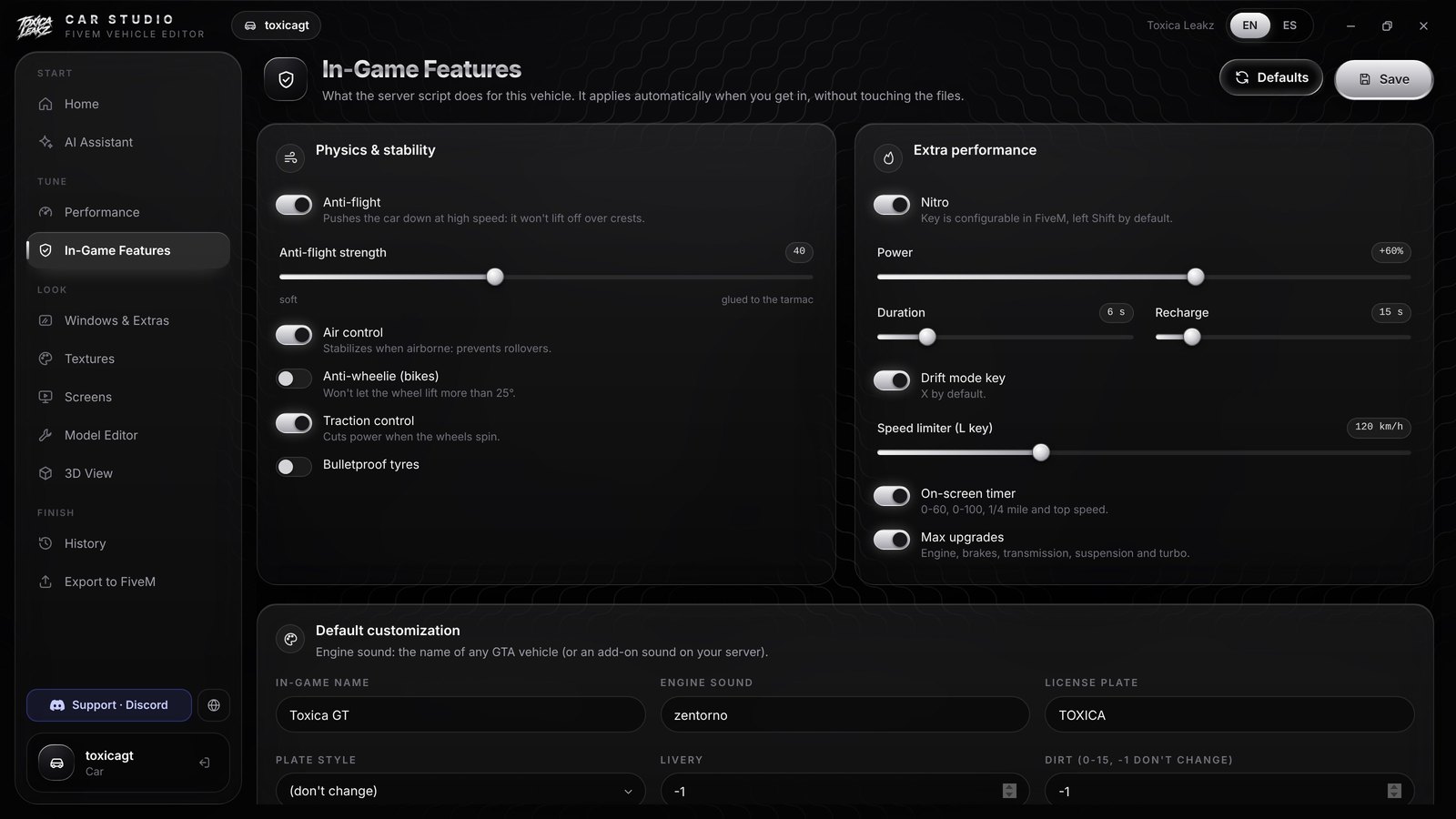
Nitro, drift, limiter
Switch on in-game features and set the default name, engine sound and plate, all without touching a file. Export builds one resource for every vehicle you edited.
More ToxicaLeakz tools
Blood FX, sound packs, skies, MLOs and more. Get the main tools in one app with the Master Tool.
FAQ
What can Car Studio do?
Tune FiveM vehicle handling by typing the speed you want, edit the 3D model, change window tint and extras, add in-game features like nitro and drift mode, and export a server-ready FiveM resource.
How does the speed tuning work?
Type a top speed and a 0-60 time. The built-in simulator works out the handling and shows top speed, acceleration, 1/4 mile and braking distance before you save.
Are there presets?
Yes. 31 one-click presets across 8 vehicle types, like Hyper 300 mph, Drift, Drag, Police, Rally, Lowrider, Hyperbike 250 mph and Monster truck.
What in-game features can I add?
Anti-flight, air control, anti-wheelie, traction control, bulletproof tyres, nitro, a drift-mode key, a speed limiter, an on-screen 0-60 timer and max upgrades, set in the app with no file editing.
Which vehicles does it work with?
Cars, motorcycles, quads, trucks, bicycles, boats, planes and helicopters. Open a vehicle folder, a single .yft, or an .rpf or .oiv package.
Does it change my original files?
Saving handling.meta makes an automatic .bak backup, and the History page keeps saved versions you can compare and restore.
Is it a subscription?
No. It's $35 one time, with a lifetime key and every update.
Tune your cars today
ToxicaLeakz › Tools › Car Studio