 ToxicaLeakz
Your Own Sky.
Every Hour.
The ToxicaLeakz Sky Tool is a FiveM timecycle editor with a live sky preview. Change the sky, clouds, sun, moon, fog and lighting for every hour, apply one-click presets, edit the weather, and build a sky RPF from your own pictures.
Also included in the Master Tool with 7 more tools.
Everything for your FiveM sky
Load your pack's timecycle XML, drag a slider, and watch the sky change. No guessing numbers in a text editor.
127 values, every hour
Sky colouring, clouds, stars and moon, sun, fog, lighting, light rays and lightning colour, for all 13 game time slots.
Live sky preview
See the sky, sun, moon, stars, clouds, rain and snow for each hour while you edit. Go fullscreen to check it big.
15 one-click presets
Dawn, Sunset, Galaxy, Aurora, Neon, Bloodmoon, Storm and more. Apply one to just the hours you pick.
Weather editor
Rain, snow, wind, cloud, fog, lightning, ripples and ocean waves in weather.xml, for the weather type your XML uses.
Sky RPF maker
Drop in PNGs for the cloudhat, moon, starfield and sky noise and build a FiveM sky RPF. Empty slots keep the original.
Safe saving
Only the numbers you changed are rewritten, a backup is made first, and undo and redo are always there.
Drag it. See it. Save it.
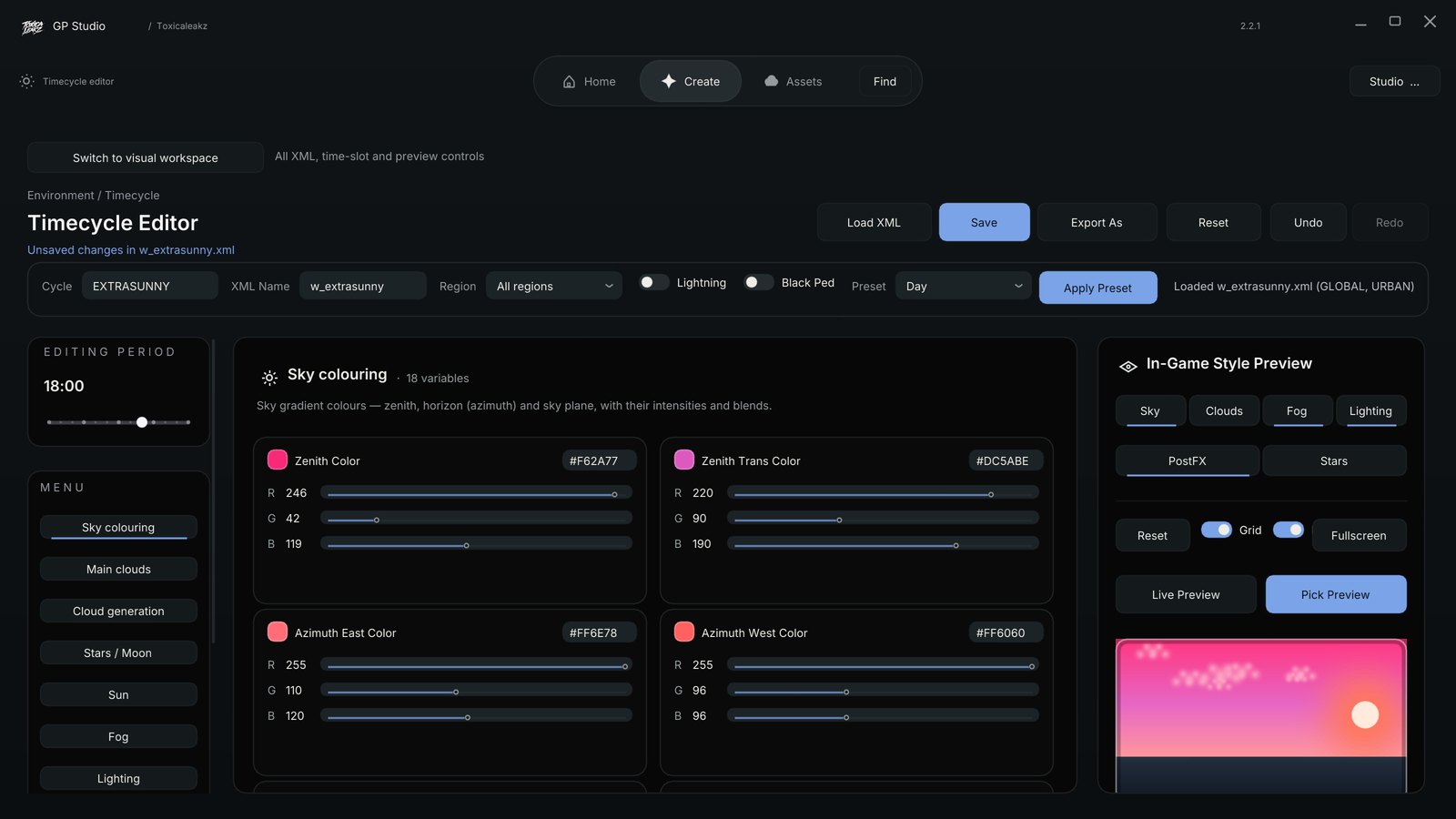
Sky colours, live
Every colour has a swatch, a colour picker, a hex box and R, G and B sliders. Drag one and the preview sky changes as you move.
- Edit one hour or a whole range of hours at once
- GLOBAL and URBAN regions, together or on their own
- Opens your pack's XML straight from your FiveM folder
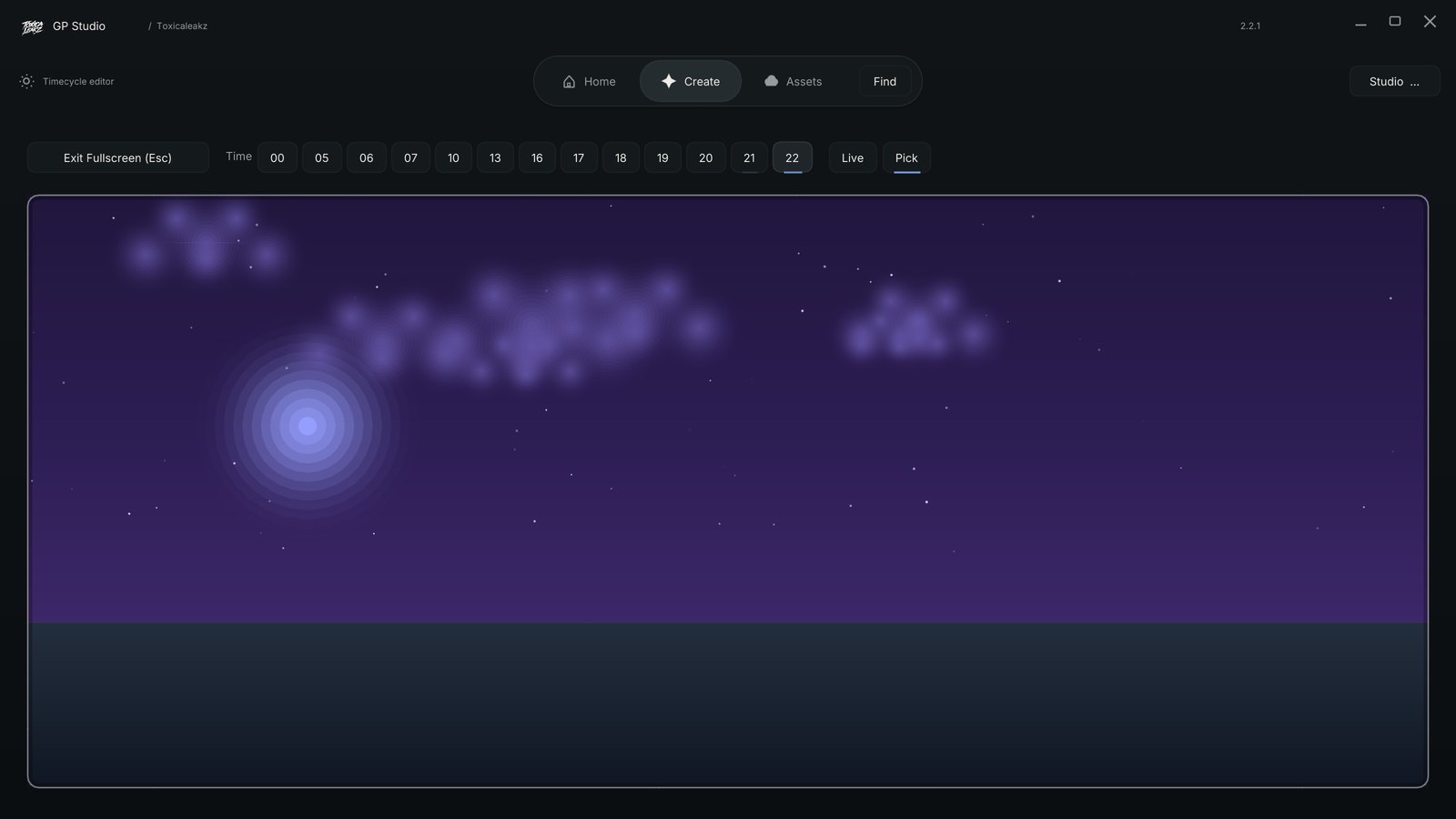
Dawn to midnight
Step through every hour and check your sky the way it looks in game: the sun moving across the day, a pink dusk, and the moon and stars at night.
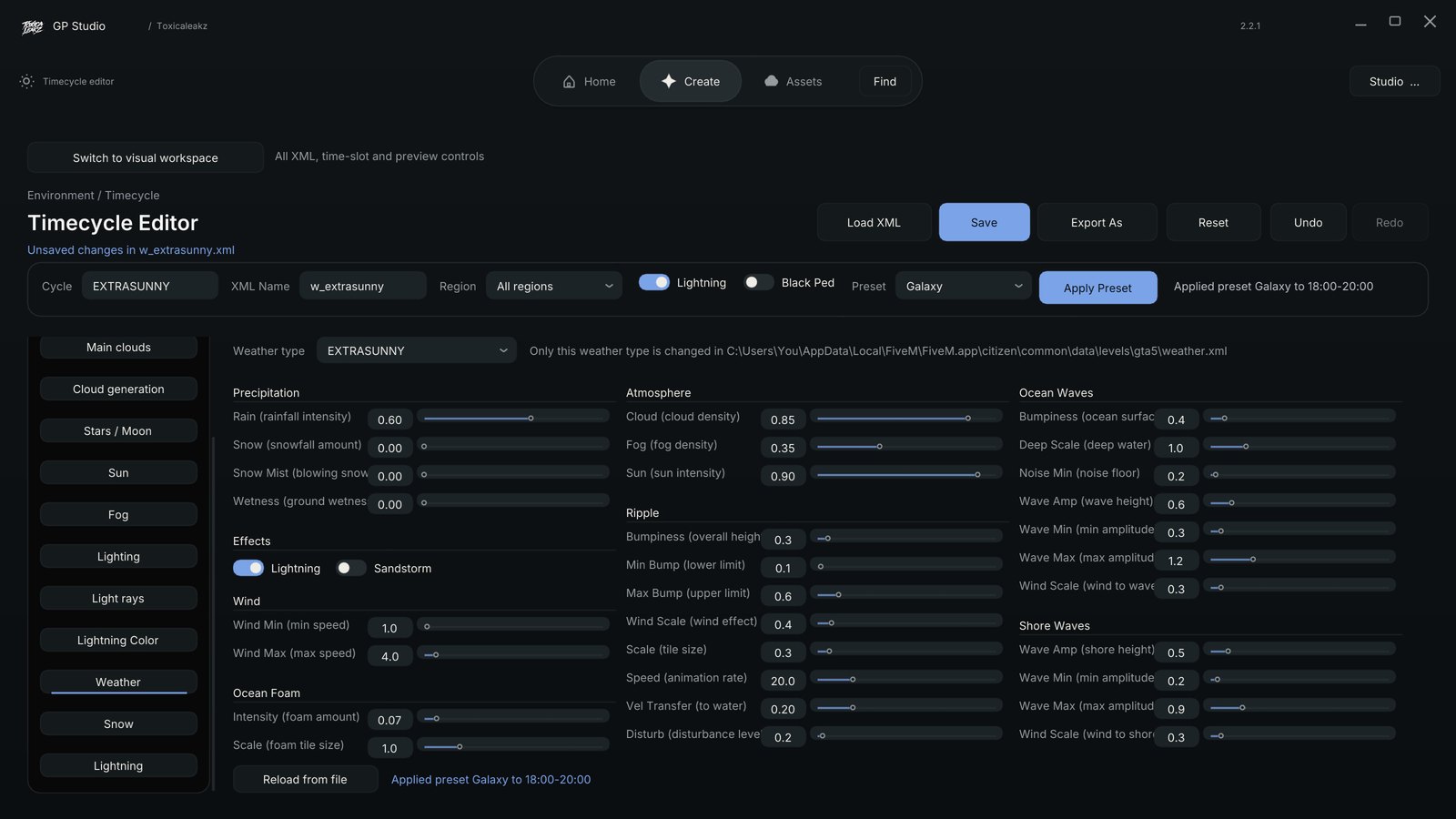
Weather, your way
Turn up the rain, add fog, switch lightning on. Only the weather type that uses your XML is changed, so the rest of your weather.xml stays as it is.
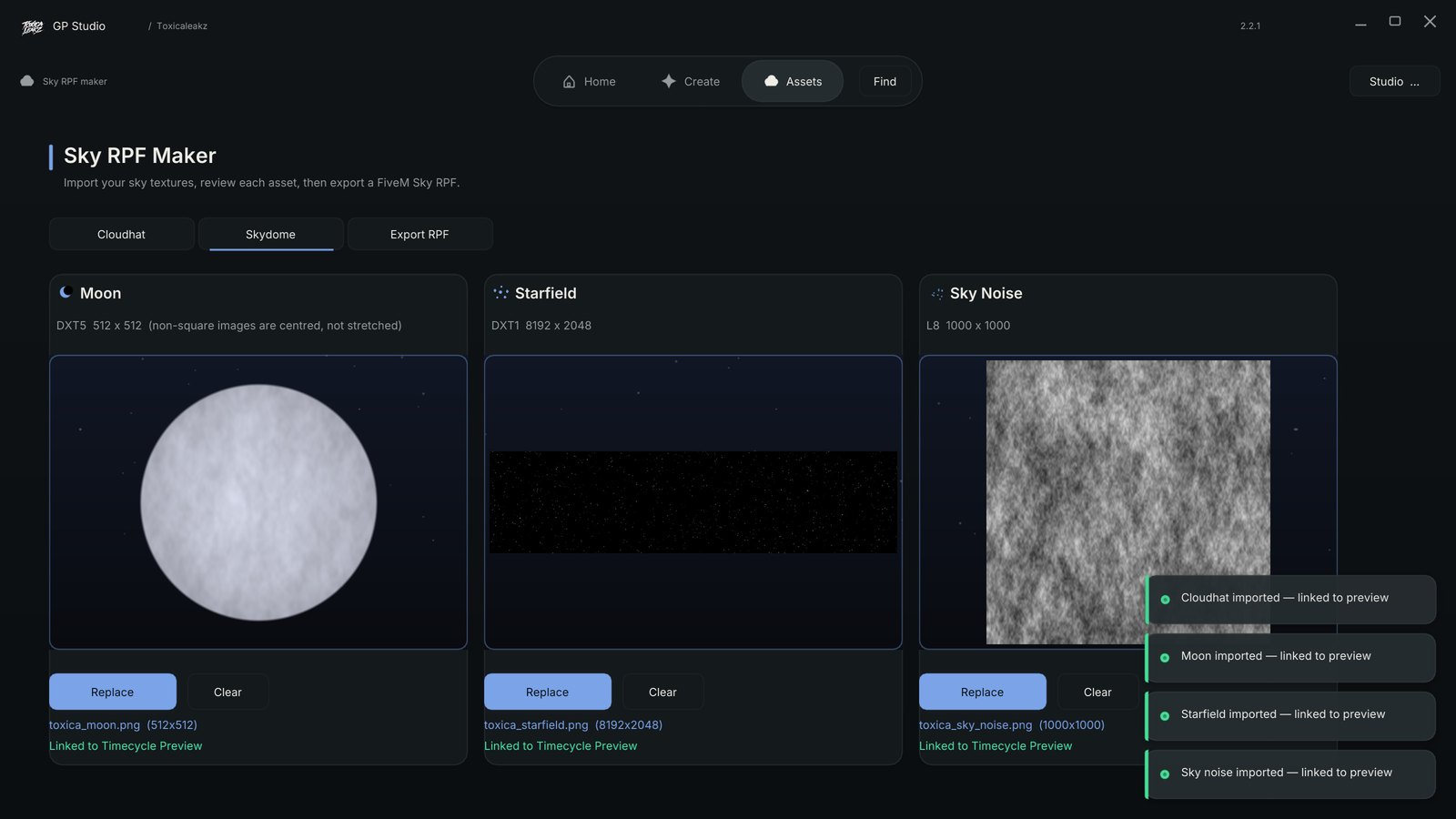
Make your own sky textures
Import your own cloudhat, moon, starfield and sky noise pictures, check each one, then press Build Sky RPF. They're linked to the preview, so you see them before you build.
Get Sky + 7 more tools
The Master Tool has Sky, Blood FX, the Sound Pack tool, the MLO Tool and 4 more in one app with one key. Every tool updates itself.
FAQ
What does the Sky Tool edit?
Your FiveM timecycle: 127 values across sky colouring, main clouds, cloud generation, stars and moon, sun, fog, lighting, light rays and lightning colour, for all 13 game time slots. It also edits weather.xml, cloud colours and cloud shapes.
Can I see the sky before I go in game?
Yes. The in-game style preview shows the sky, sun, moon, stars, clouds, rain and snow for each hour, with a fullscreen mode, and it updates while you drag a slider.
Will it mess up my XML?
No. Save only rewrites the numbers you changed. Comments, spacing and every other line stay as they were, and the first time a file is overwritten a backup copy is saved first. Undo and redo are always there.
Can I make my own sky textures?
Yes. The Sky RPF maker takes your PNGs for the cloudhat, moon, starfield and sky noise and builds a FiveM sky RPF. Any slot you leave empty keeps the original.
Are there presets?
15 built-in looks like Dawn, Sunset, Galaxy, Aurora, Neon, Bloodmoon and Storm. Apply one to just the hours you pick, and undo it with Ctrl+Z.
Is the Sky Tool in the Master Tool?
Yes. Sky is one of the 8 tools in the Master Tool, or you can buy it on its own for $25.
Is it a subscription?
No. It's $25 one time, with a lifetime key and every update.
Make your sky today
ToxicaLeakz › Tools › Sky Tool