 ToxicaLeakz
Your MLO.
In Real 3D.
The ToxicaLeakz MLO Tool opens any FiveM MLO or map in a real-time 3D view. Move anything, swap textures, check your neon in night mode, optimize heavy textures and export a ready FiveM resource in one click.
Also included in the Master Tool with 7 more tools.
Everything for your FiveM MLOs
Open a resource, a .zip or loose GTA files and you're straight in the 3D view with every object listed.
Real 3D view
Fly through your MLO in real time, with the real GTA V props from your game folder showing inside it.
Move anything
Move, rotate and scale with a gizmo and snapping, or type exact numbers. Duplicate, delete and undo the last 100 steps.
Swap textures
Drop an image on any texture to replace it, or drop one into the 3D view to place it as a glowing panel.
Day, night & studio
Switch the lighting to check your neon and LED strips, with grid, wireframe and game-style far-object hiding.
Texture optimizer
Shrinks oversized textures, compresses uncompressed ones and adds mipmaps. See the saving first; originals are backed up.
One-click export
Exports a FiveM resource with fxmanifest.lua and the stream folder, ready to drop on your server.
Open it. Change it. Ship it.
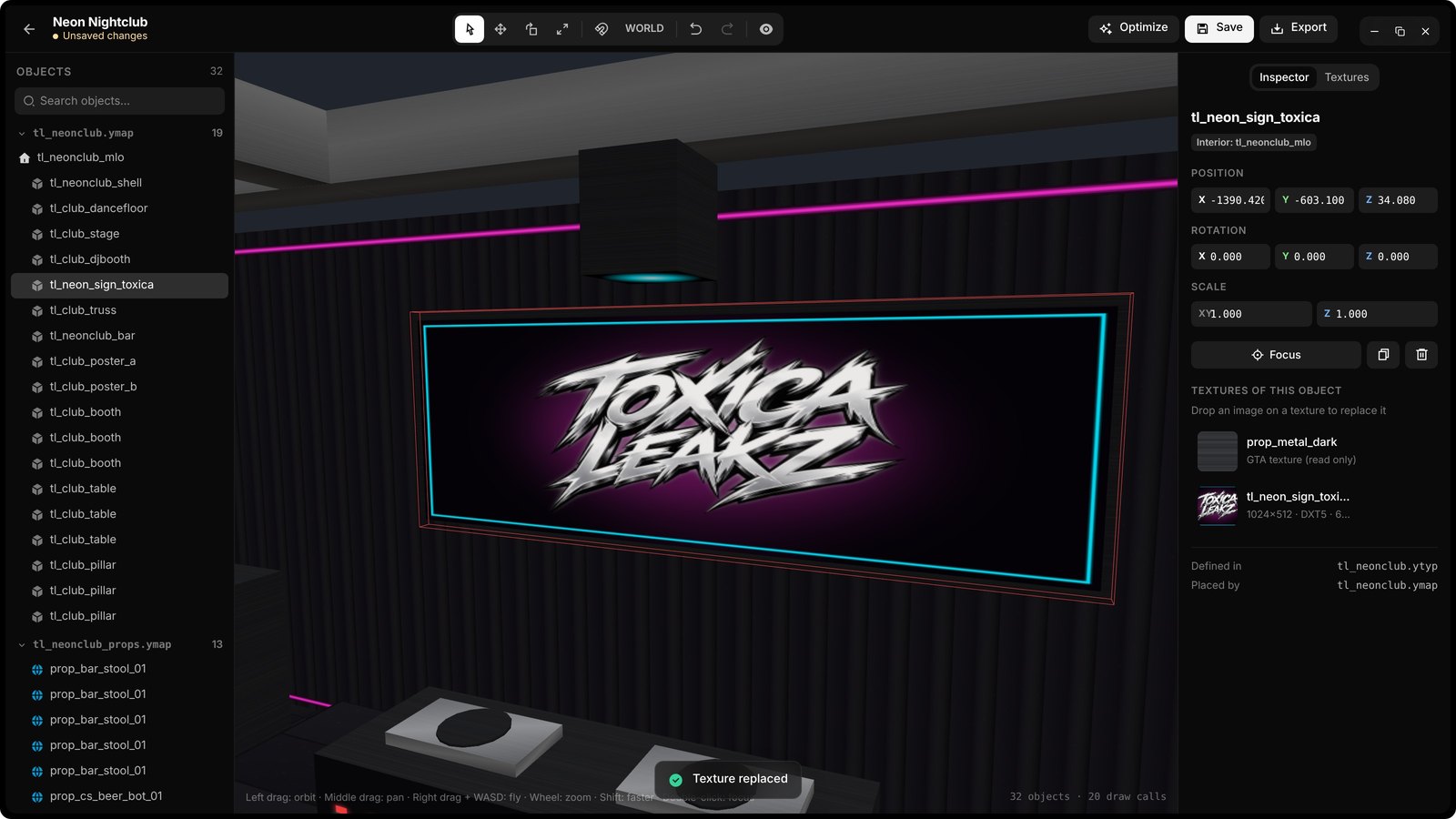
Your logo on the wall
Pick a texture, press Replace and choose your image. The sign in the 3D view changes right away and flashes so you see every surface that uses it.
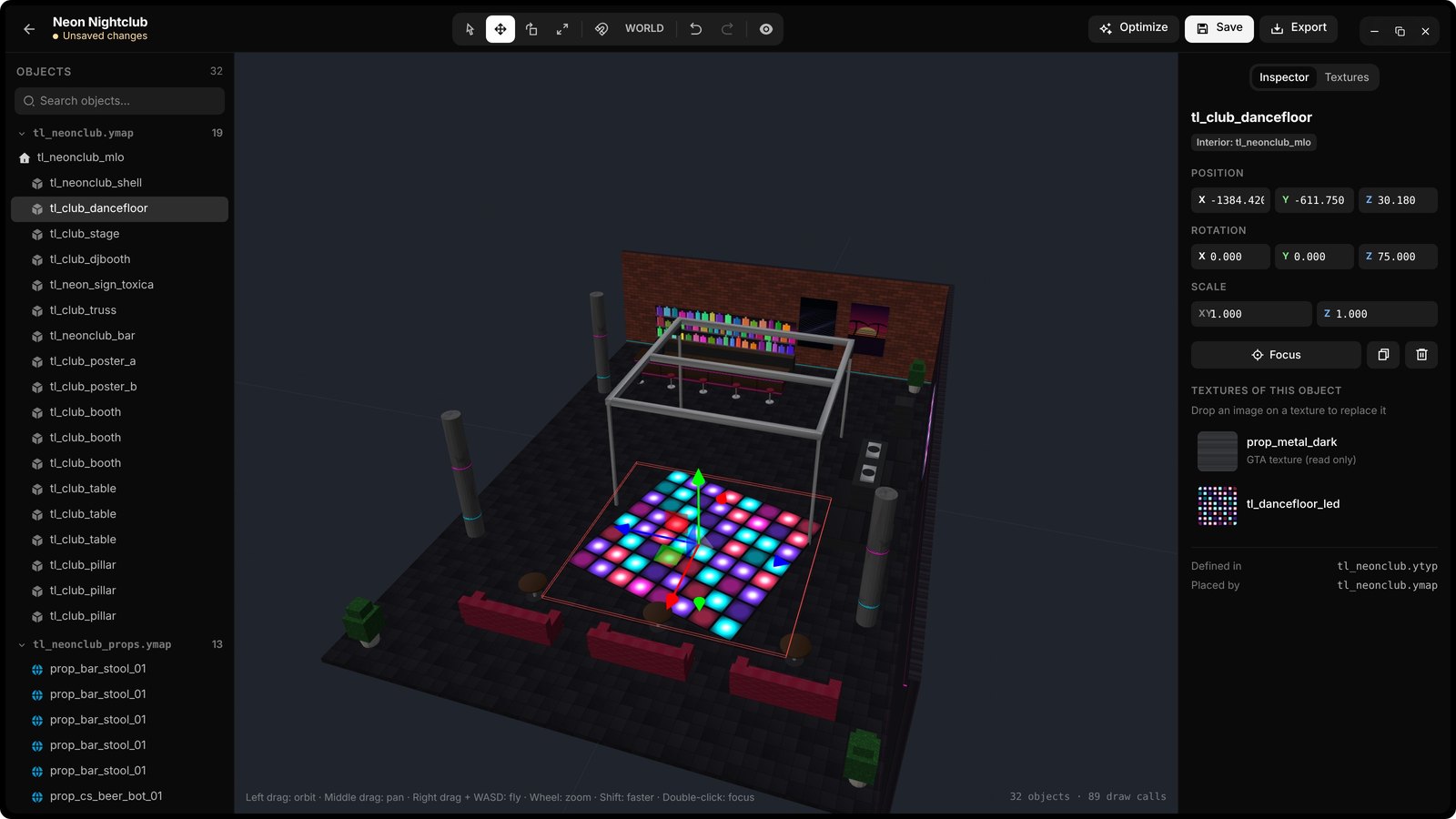
Exact moves
Click an object in the 3D view or the list, then drag the gizmo or type the position, rotation and scale. Arrow keys nudge, Shift moves ten times as far.
- Q, W, E, R tool keys
- World or local space, with snapping
- Ctrl+D duplicate, Ctrl+Z undo, Ctrl+S save
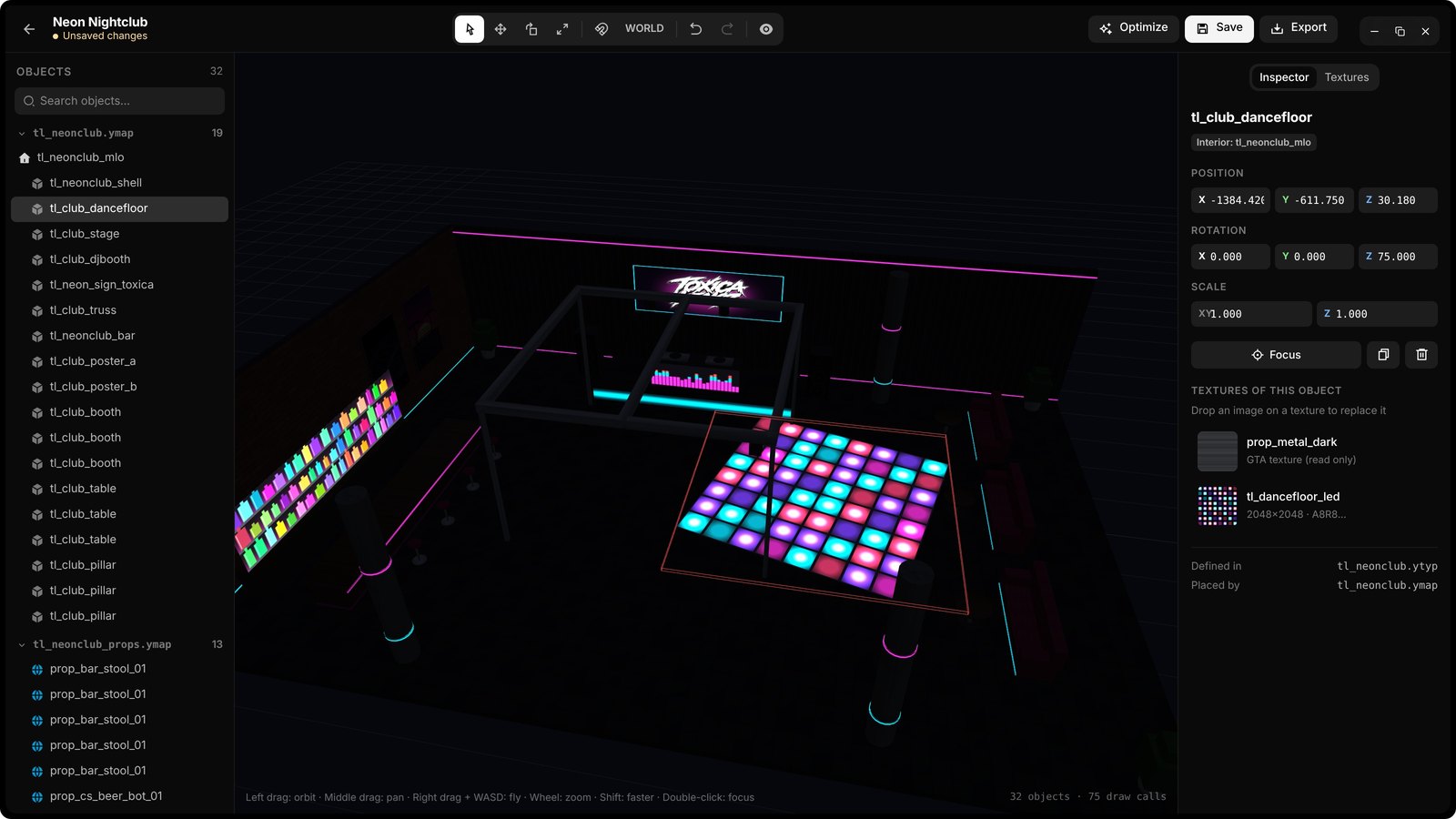
See it at night
Turn on night lighting and check your neon, LED strips and signs glow the way you want before you send the MLO out.
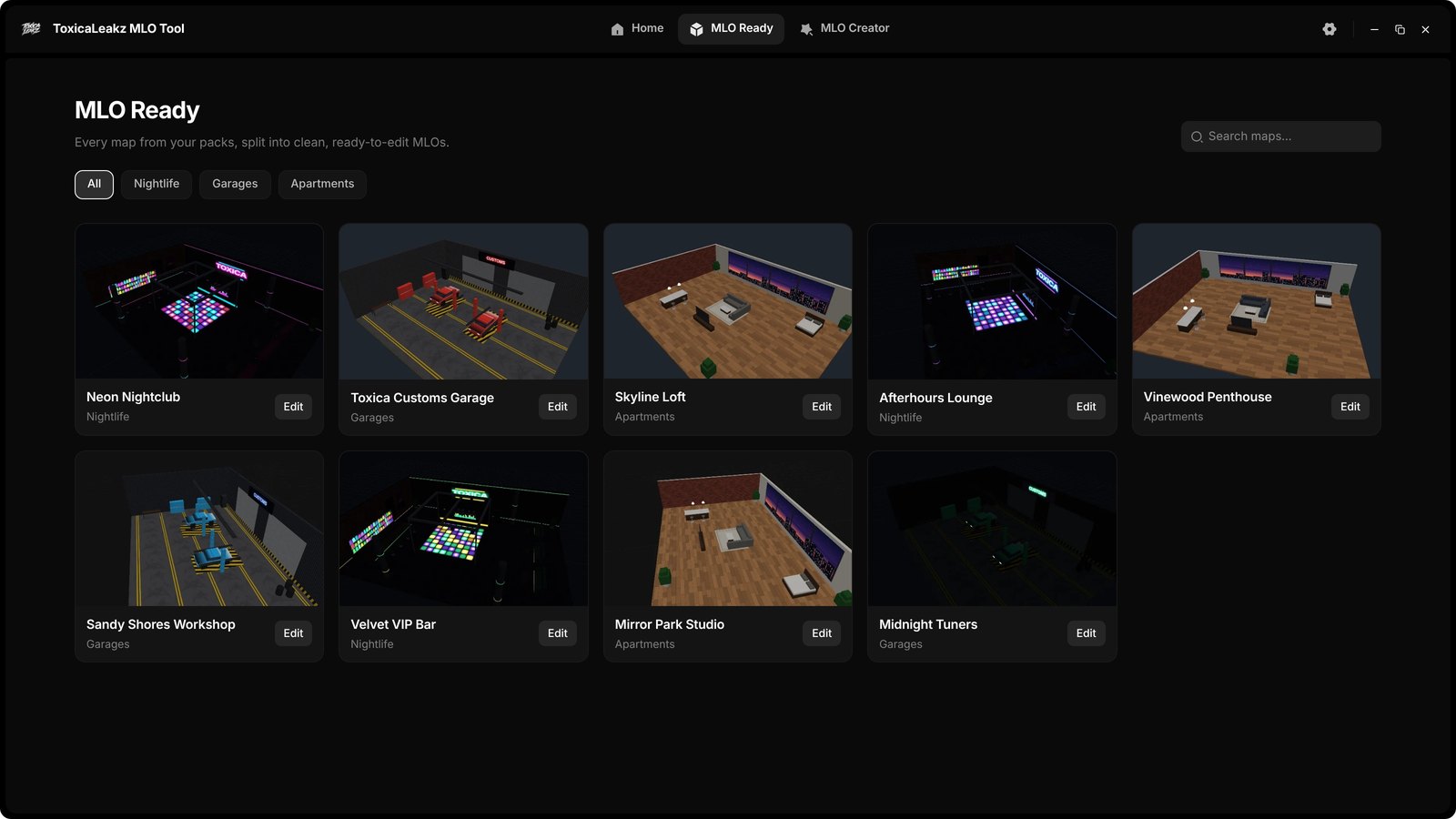
MLO Ready
A library of ready maps sorted into nightlife, garages and apartments. Preview one in 3D and edit a copy as your own project.
Get the MLO Tool + 7 more tools
The Master Tool has the MLO Tool, Blood FX, the Sound Pack tool, Sky and 4 more in one app with one key. Every tool updates itself.
FAQ
What can the MLO Tool do?
Open any FiveM MLO or map in a real-time 3D view, then move, rotate and scale objects, swap textures, optimize heavy textures and export a ready FiveM resource.
What files can I open?
A FiveM resource folder, a .zip, or loose GTA files like .ydr, .ydd, .yft, .ytd, .ytyp, .ymap and .ybn. A resource keeps its layout and loose files go into stream.
Does it show the real GTA V props?
Yes. Point it at your GTA V folder and the game's own props show inside your MLO. Nothing in your GTA V folder is changed.
How do I change a texture?
Drop an image on the texture you want to change. The surfaces that use it flash so you can see where it landed. You can also drop an image into the 3D view to place it as a glowing panel.
What does Optimize do?
It shrinks textures above the size you pick (512, 1024 or 2048), compresses uncompressed ones and adds missing mipmaps, so your MLO streams smoother. It shows the size saving first and backs up your originals.
What is MLO Ready?
A library of ready maps sorted into sections like nightlife, garages and apartments. Preview them in 3D and edit a copy as your own project.
Is the MLO Tool in the Master Tool?
Yes. The MLO Tool is one of the 8 tools in the Master Tool, or you can buy it on its own for $35.
Is it a subscription?
No. It's $35 one time, with a lifetime key and every update.
Edit your MLO today
ToxicaLeakz › Tools › MLO Tool