The graphics settings that cost the most
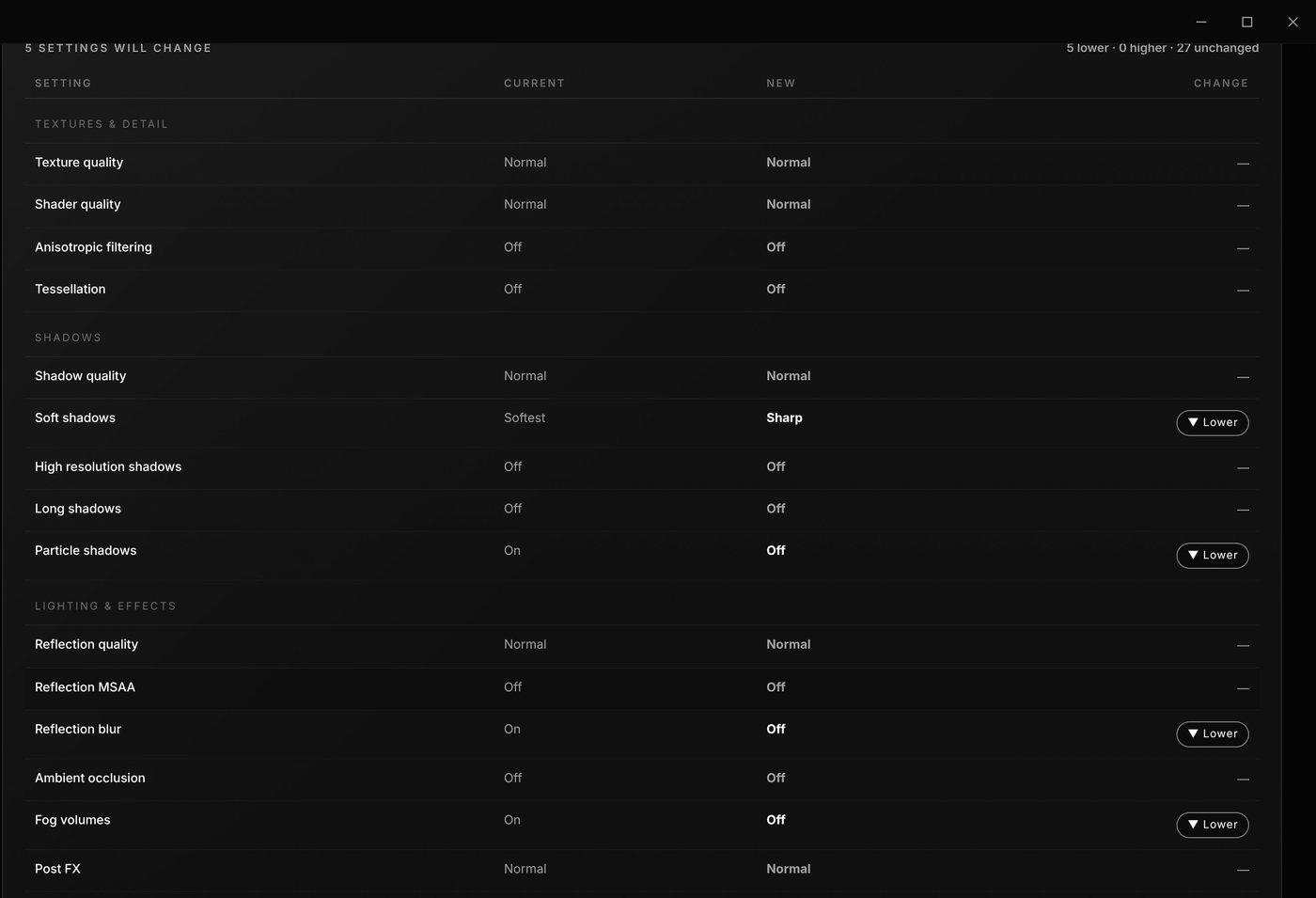
Open FiveM, press Esc → Settings → Graphics. These settings cost the most FPS for the least visible difference:
- Soft shadows: set to Sharp
- Particle shadows: off
- Reflection quality and reflection MSAA: lower
- Grass quality: Normal
- Extended distance scaling and extended shadow distance: lower
Keep your resolution and refresh rate as they are. Lowering resolution makes the game blurry and is usually not needed.
Using a kill effect or graphics pack? Kill effects need Post FX on High or above. Leave Post FX alone if you want them.
Windows settings that help
- Power plan: Control Panel → Power Options → High performance.
- Game Mode: Settings → Gaming → Game Mode → On.
- Background recording: Settings → Gaming → Captures → turn off Record what happened.
- Use your graphics card: Settings → Display → Graphics → add FiveM → High performance.
- Transparency effects: Settings → Personalization → Colors → Off.
Clear the FiveM cache (safely)
FiveM keeps a cache that grows over time. Clearing it can fix stutters and frees space.
- Close FiveM.
- Open
FiveM.app\data\cache. - Delete everything except the
gameandsubprocessfolders.
Don't delete citizen, mods or plugins: those hold your sky, BFX and ReShade. Server caches (data\server-cache) can be cleared too, but servers will download their files again.
Heavy graphics pack?
ReShade presets are often the biggest FPS cost in a graphics pack. Turning down depth of field, ambient occlusion (MXAO/SSAO) and heavy sharpening in your ReShade preset keeps the look and gives FPS back.
FAQ
Which FiveM setting gives the most FPS?
Shadows and reflections usually cost the most. Set soft shadows to Sharp, turn particle shadows off and lower reflection quality.
Is it safe to delete the FiveM cache?
Yes, if you delete the contents of data\cache except the game and subprocess folders, and never touch citizen, mods or plugins.
Does the Optimizer change my game files?
No. It changes FiveM graphics settings and per-user Windows settings, cleans the cache, and every change can be undone from the Restore Center. It does not need admin rights.
How much FPS will I get?
It depends on your PC, your graphics pack and the server. Low-end PCs with heavy settings gain the most.